Voyager Infinity – Release Notes
Version: 4.121
Release Date: 8th November 2024
What have we released?
- Infinity 4.121 has been released
Release overview
Here’s a snapshot of what we’ve delivered in this release:
- Add users by selecting a team, to Share / Comms Centre emails
- New options to send Scheduled Automatic Comms to:
- created candidates by type (P/C/T) and worker type
- candidates / contacts after a temp placement has started
- Shift Planner - Search by PO Number
Feedback please
We are continuously looking to improve Voyager Infinity and are keen to hear your thoughts. Please email suggestions@ikirupeople.com with any feedback on existing functionality or ideas for new functionality.
Enhancements
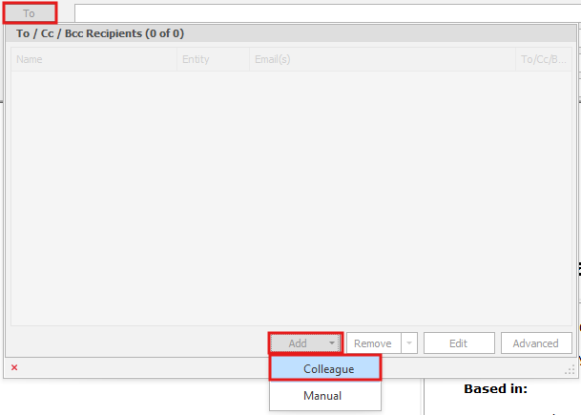
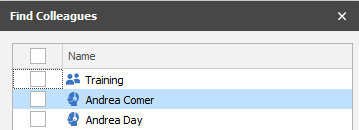
Enhancement 130378 Add users by teams to Share / Comm Centre emails
When adding colleagues to a share email, a list of consultants and teams is displayed.
When a team is selected, the consultants within that time are populated on the To/BCC line, if they have an email address.
This functionality is available in:
- Comms Centre
- Meetings
- Quick Steps

Enhancement 102405 Warning of inactive owning consultants on all main pages
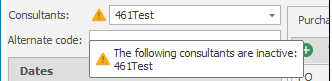
Inactive owning consultants are displayed on Candidate, Company, Contact, Job, Interview and Placement pages.
Infinity now consistently warns users on all pages if there is a consultant in the list that is inactive.
Enhancement 130318 New cancel out window when sorting/filtering results
When sorting/filtering results, all results must be loaded to enabled Infinity to sort them.
When sorting/filtering results, you now have the option to cancel, as well as a more comprehensive loading screen, and a warning message if there are a large number of results.
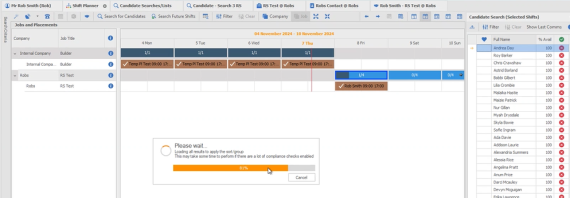

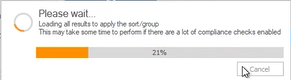
If you cancel and click again, it will continue where it left off
If you close and re-open it will start again.
Enhancement 130376 Agency used column on candidate search results
There is an ‘Agency used’ column on the candidate page work history.

This is now available on search results. (Candidate and Candidate re: job searches)
This is the agency used for their current employment.

It is not displayed by default but is available via the column chooser.
Enhancement 130490 Integrated Data Services – create leads notification window
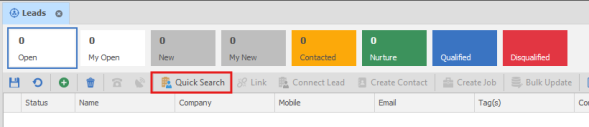
When leads have been created via ‘Integrated Date Services’, you are notified, so you are aware that they have been created successfully.
From the leads screen, click ‘Quick Search’
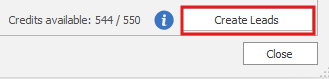
One you have found and selected the data you wish to create as leads, click ‘Create Leads’
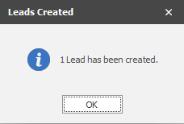
You are informed how many leads have been created.
Enhancement 130377 Scheduled Comms - candidates created by type and worker type
Two new conditions have been added to Scheduled Automatic Comms
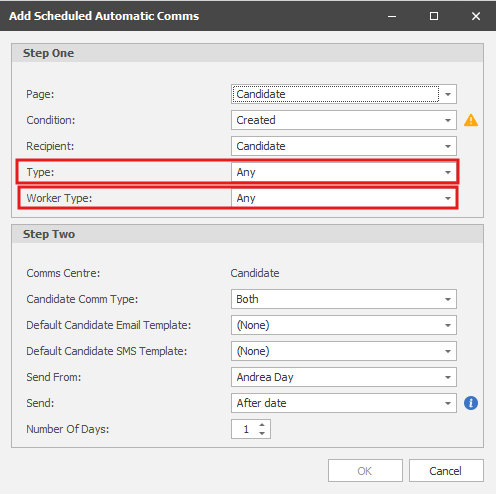
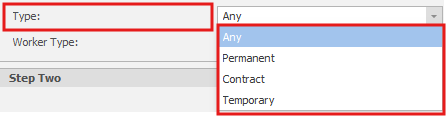
Type defaults to Any, which means all candidates/placements that meet the other criteria are sent the scheduled comms.
When Page is set to ‘Candidate’: Selecting a type, restricts the scheduled comms to candidates of that type.
When Page is set to ‘Placement’: Selecting a type, restricts the scheduled comms to placements of that type.
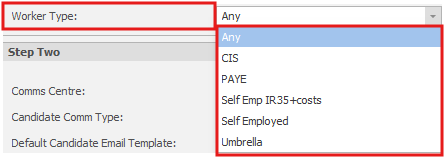
Worker Type defaults to Any, which means all candidates/placements that meet the other criteria are sent the scheduled comms.
When Page is set to ‘Candidate’: Selecting a worker type, restricts the scheduled comms to candidates of that worker type.
When Page is set to ‘Placement’: Selecting a worker type, restricts the scheduled comms to placements of that worker type.
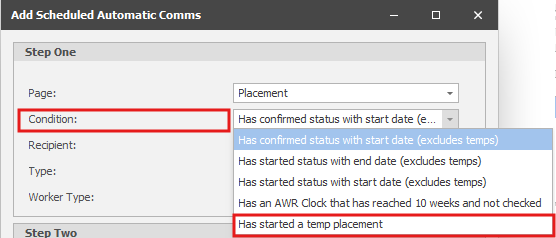
Enhancement 130380 Scheduled Comms – send after a temp placement has started
A new option has been added to the Condition drop down list ‘Has started a temp placement’
The comms can be sent on the exact date, or x days after.
Enhancement 130466 Redundant action permissions removed
Sector and Product Template Specific Action Permissions have been removed.
Enhancement 126682 Changes to the ‘Website Review / Unsubscribe’ tab in administration
In Administration / General Settings, the 'Web Review / Unsubscribe' tab has been renamed to ‘Website’ settings.
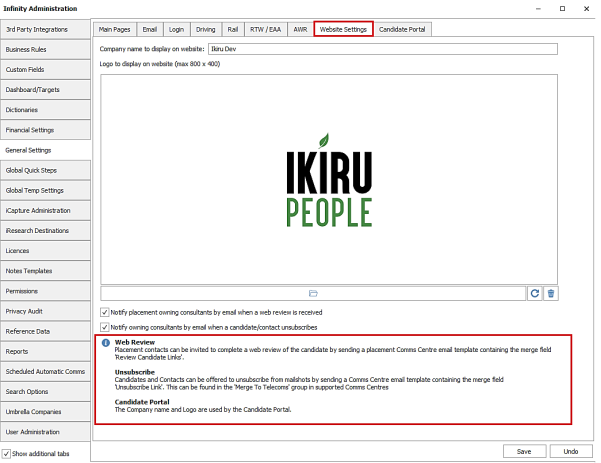
Functionality remains the same and the ‘i’ button shows information for Web Reviews, Unsubscribe and Candidate Portal (future functionality).
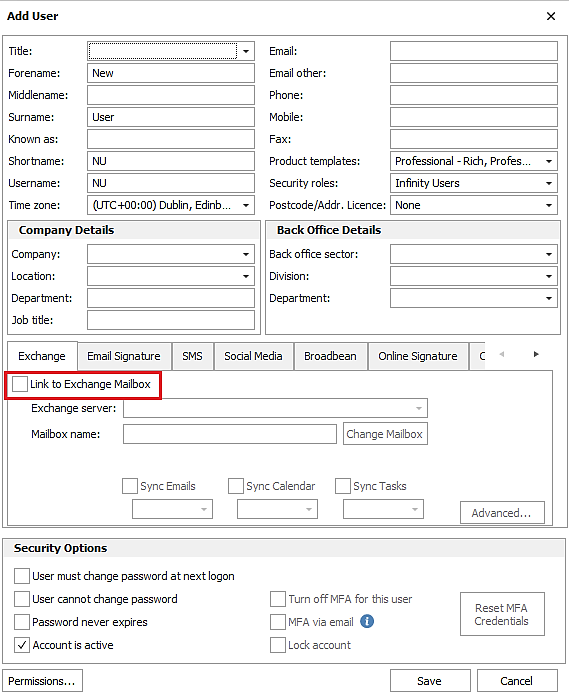
Enhancement 130238 Exchange unticked as default when creating new users
When a new user is created by an administrator and they are taken to the Edit User screen, the ‘Link to Exchange mailbox’ setting is unticked as default.
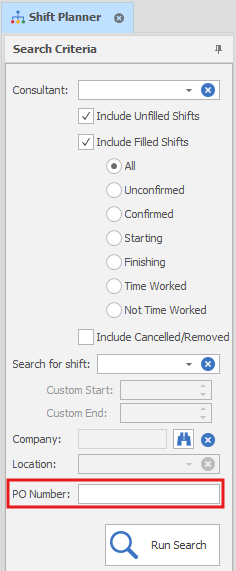
Enhancement 130306 Shift Planner - search by latest PO Number
There is a new search field on the Shift Planner Search Criteria panel called 'PO Number'
This is a free text field and searches the latest Purchase Order Number value on placements (filled shifts is ticked) or jobs (unfilled shifts is ticked) that contains the entered text.
 Contact Details
If you require further assistance please contact Ikiru People using the details published on www.ikirupeople.com
Visit our Customer Portal at https://portal.ikirupeople.com/ for future events and clinics.
FeedbackIf you would like to make suggestions or have found any errors with this Help section please contact our Support team.
Copyright © 2026 Voyager by Ikiru People Ltd. All rights reservedVersion 4.87
Voyager Software is a brand of Ikiru People Ltd, a subsidiary of Dillistone Group Plc. The group is a leading global provider of software and services that enable recruitment agencies and in-house recruiters to better manage their selection process and address the training needs of individuals. Across its brands – which include Voyager Software (recruitment software UK & Australia), Dillistone FileFinder executive search software, GatedTalent, the global database of the world’s leading executives, Talentis.Global – the next generation of recruitment software and also ISV.Online, provider of online pre-employment skills testing and training tools. Dillistone Group serves thousands of clients worldwide. Ikiru People Ltd: Registration Number 02043300. Registered in England & Wales.
 |  |  |  |