 Notes Templates Administration
 Notes Templates Walkthrough available click here
General
Note templates can be added to a number of text fields held in records within Infinity, the user can right click on the field and insert note template and select any template you have added to your system. Notes fields are available on:
Candidate – Summary and Comments field
Company – Company Notes
Location – Location Notes
Contact – Contact Notes
Meeting invitations (including Interview Invitations)
Job – Description and Comments Boxes
Interview – Interview Notes
Placement – Placement Notes
Notes templates can be used to provide standard layout of information or to set a particular formatting style, for example directions to the office for meeting invitations or next of kin information for the placement notes, to reduce the time it takes to fill in the field and ensure consistency.
 To use a notes template in any of the notes fields within Infinity, right click in the notes panel and select Insert Note Template. The selected Notes Template will be inserted into the Notes field.
Default Note Templates
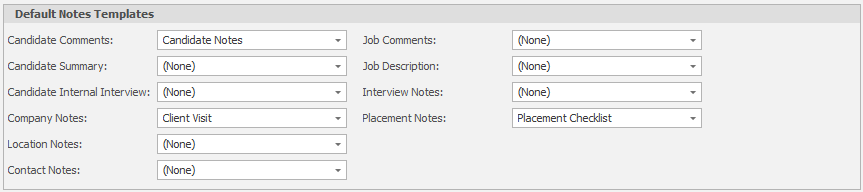
Note Templates can be applied automatically to new records, a great way to have custom content in records.
You can set your default notes templates via the defaults:
 To add a new notes template
- Select
 and enter a Note Template name in
 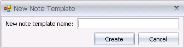 and click
- The Infinity notes template editor will be displayed and you can begin to format the template as required using the toolbar options in the Notes Editor
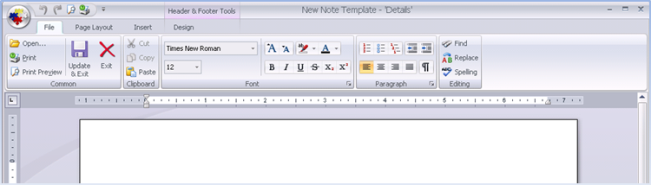
- Click
 to save the new template
To edit note templates
- Select the template you wish to edit and select
- The Template editor will open, displaying the contents of the template
- Click to save the new template
To copy note templates
- Select the template you wish to copy and select

- Enter a name for the copy template
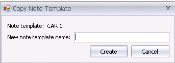 and click
- The template format and content will be copied from the original and a new entry will appear in the Notes Templates grid
To delete a note template
Select the template you wish to delete and click  and the template will be deleted

Contact Details
If you require further assistance please contact Ikiru People using the details published on www.ikirupeople.com
Visit our Customer Portal at https://portal.ikirupeople.com/ for future events and clinics.
FeedbackIf you would like to make suggestions or have found any errors with this Help section please contact our Support team.
Copyright © 2026 Voyager by Ikiru People Ltd. All rights reservedVersion 4.87
Voyager Software is a brand of Ikiru People Ltd, a subsidiary of Dillistone Group Plc. The group is a leading global provider of software and services that enable recruitment agencies and in-house recruiters to better manage their selection process and address the training needs of individuals. Across its brands – which include Voyager Software (recruitment software UK & Australia), Dillistone FileFinder executive search software, GatedTalent, the global database of the world’s leading executives, Talentis.Global – the next generation of recruitment software and also ISV.Online, provider of online pre-employment skills testing and training tools. Dillistone Group serves thousands of clients worldwide. Ikiru People Ltd: Registration Number 02043300. Registered in England & Wales.
 |  |  |  |