Infinity Copilot
Infinity Copilot utilises ChatGPT, which stands for "Chat Generative Pre-trained Transformer".
ChatGPT is an AI chatbot that responds like a human when you type in a message or question. It excels at natural language processing (NLP), which means it can even engage in back-and-forth conversation or dialog. ChatGPT was created by OpenAI, a San Francisco-based startup that has attracted funding from tech giants like Microsoft.
 Enable Infinity Copilot
On all Infinity databases licensed for Copilot, there is a new tab in Administration / 3rd party Integrations called Copilot.

There is a setting within called ‘Enable Infinity Copilot’. When ticked Copilot functionality is available throughout Infinity for all users. The setting is ticked as default for upgraded and new databases.
If the Infinity database is not licensed for Copilot, the tab is not shown and functionality is not available.
We have used this AI chatbot feature within Infinity, enabling you to work more efficiently.
Copilot in Searching
The Copilot ‘Build Search’ search button is on the main toolbar (at the top) of each Infinity search page and will create a boolean search string, that then gets applied to fields in the search screen.

The user can type or paste a few sentences and build their search. On re:job searches there is a button to copy the contents from the job description field on the job page.
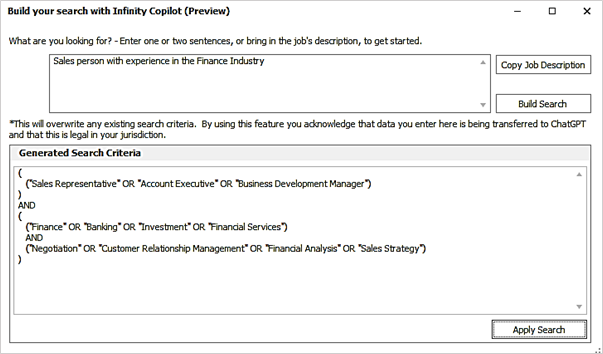
The search criteria generated by ChatGPT is shown in the screen. The user can apply this to their Infinity search or ‘Build Search’ again to see if more suitable criteria is returned.
Applying the generated search criteria to Infinity
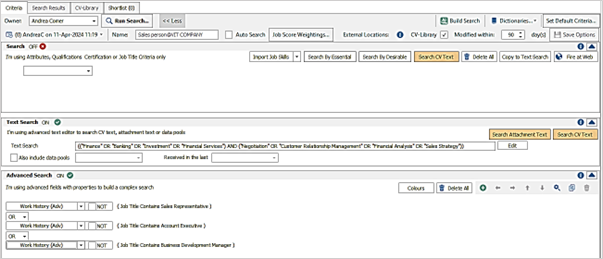
If the user applies the criteria to their search, any existing criteria in the applicable search sections are wiped.
Candidate and re:job search
- The ‘Search’ section at the top, where dictionary skills are entered, is not populated
- The ‘Text Search’ section is populated with keywords but does not include job titles
- The ‘Advanced Search’ section is populated with the job titles in “A” OR “B” OR “C” format using the ‘work history’ field and ‘contains’ operator
Job search
- The ‘Search’ section at the top, where dictionary skills are entered, is not populated
- The ‘Text Search’ section is populated with keywords but does not include job titles
- The ‘Advanced Search’ section is populated with the job titles in “A” OR “B” OR “C” format using the ‘client job title’ field and ‘begins with’ operator
Company, location and contact search
- The ‘Search’ section at the top, where dictionary skills are entered, is not populated
- The ‘Text Search’ section is populated with job title and keywords
Placement search
- The ‘Text Search’ section is populated with job title and keywords
Copilot in TalentGraph*
*TalentGraph is a licensed feature, please contact your account manager for current pricing clientsuccess@ikirupeople.com
TalentGraph offers access to over 550 million profiles, state of the art searching enables you to find people you would not normally find. Enhanced further with the integration of ChatGPT, which gives you a quick way to build boolean strings, ensuring you are using criteria that you may not have considered.
Copilot in Ad-Hoc Search
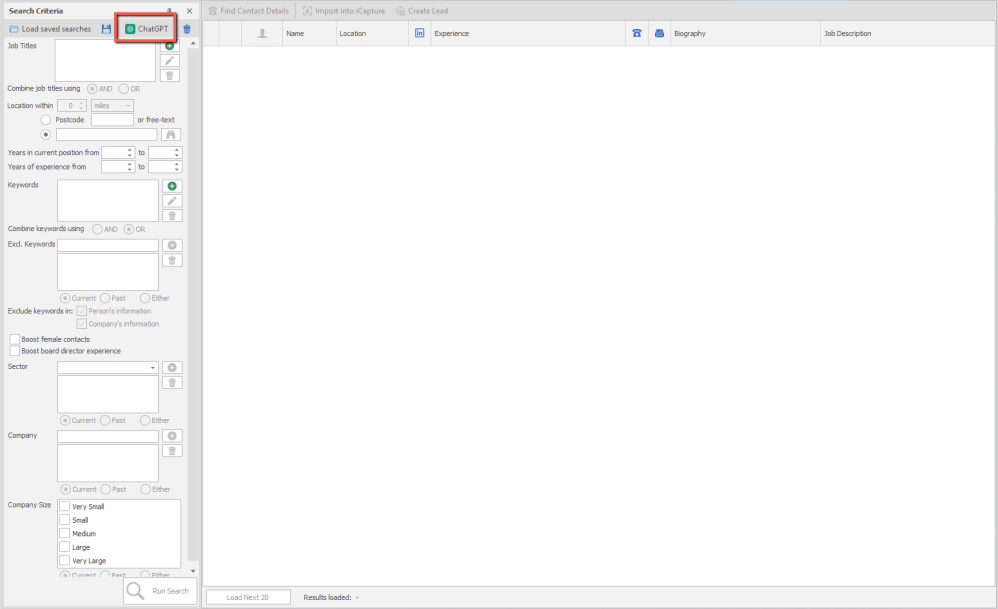
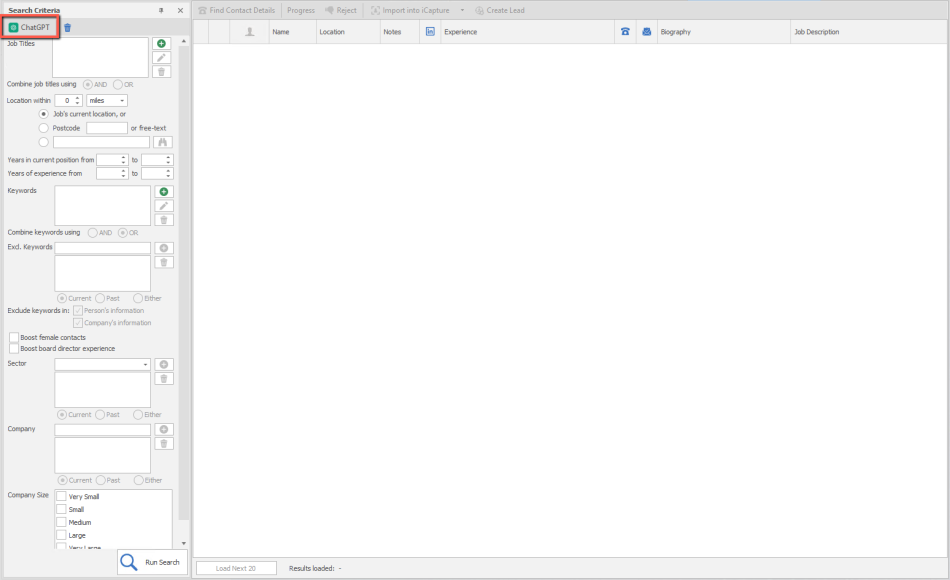
Access the ChatGPT search at the top of your criteria,
Note that each ChatGPT search is independent and will change each time you run it, you can save searches when you find criteria that returns good results.
The ChatGPT dialogue box opens:
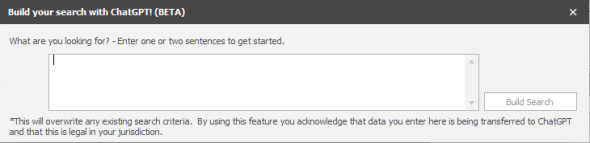
Enter text into the box, regarding the type of candidate your trying to search for, this will then use ChatGPT to setup a criteria that uses AI to build your job title(s), experience and keyword fields. You will still need to define the location.
TalentGraph Job search
Access the ChatGPT search at the top of your criteria.
Note that each ChatGPT search is independent and will change each time you run it
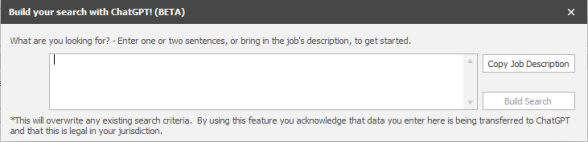
Enter text into the box, regarding the type of candidate your trying to search for, this will then use ChatGPT to setup a criteria that uses AI to build your job title(s), experience and keyword fields. For convenience, searching within a job offers the additional button 'Copy Job Description':
Copilot Find Similar People
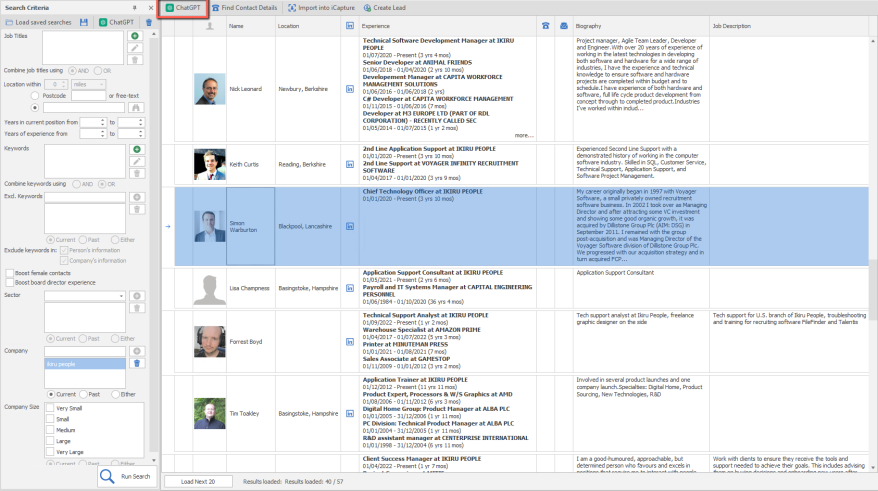
When completing a TalentGraph search you can use a search result as a foundation to search similar people. Click to select the profile you wish to use and then click on ChatGPT and it will use that profile to build a search criteria:
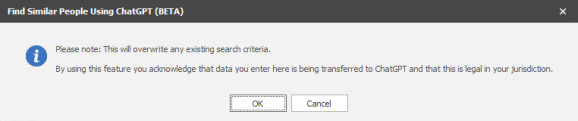
You will receive a message warining that the criteria will overwrite any existing content in place:
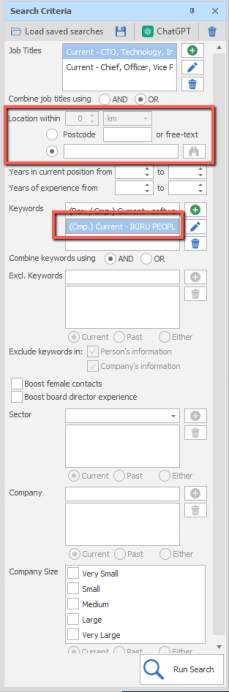
Please note that you will need to input location and often will need to remove company name if you wish to search other companies:
Copilot in iResearch
In the Administration / iResearch Destinations tab there is a ‘Copilot’ column to set which destinations support boolean search strings and can use Copilot to help build it.
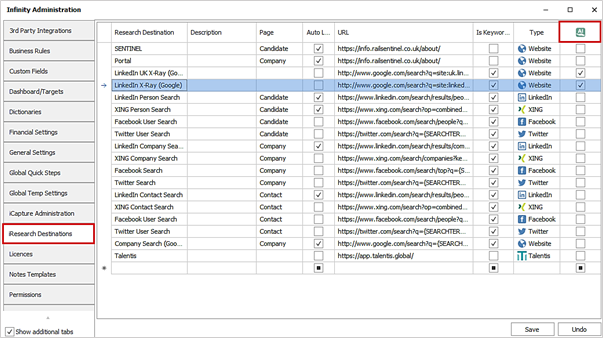
All destinations with the ‘Is Keyword Search’ column ticked have the Copilot column available to configure. The LinkedIn UK X-Ray (Google) and Linkedin X-Ray (Google) default system destinations are ticked as default on new and upgraded databases.
On the iResearch screen, there is a Copilot icon and text: 'You can now use Copilot to build your keyword boolean search strings’ with further details shown on the tooltip.

When text is entered into the ‘Criteria’ field at the top and ‘Run Search’ is pressed, destinations not ticked as Copilot in administration work as per existing functionality. The text is populated as is on the keyword field, and the search is run.
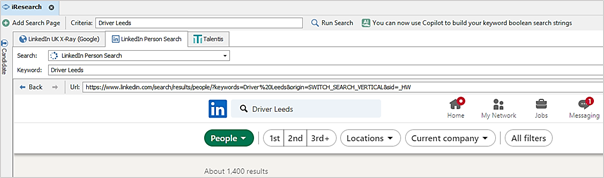
When text is entered into the ‘Criteria’ field at the top and ‘Run Search’ is pressed, destinations ticked as Copilot in administration use ChatGPT to build a boolean string on the keyword field, and the search is run.

Location information, e.g. ‘Leeds’ will be handled by Copilot where possible and will be put at the start of the boolean search string to improve results.
The ‘Re-Generate’ Copilot button is available on destinations ticked as Copilot in administration.

This will regenerate the boolean string on the keyword field, which may be different each time, using the contents of the ‘Criteria’ field. If the ‘Criteria’ field is empty, the button is not enabled.
Copilot in a candidate record
Using the power of ChatGPT to build an AI profile, offering different types and length of output. Designed to utilise the candidates CV document, to then produce the profile.
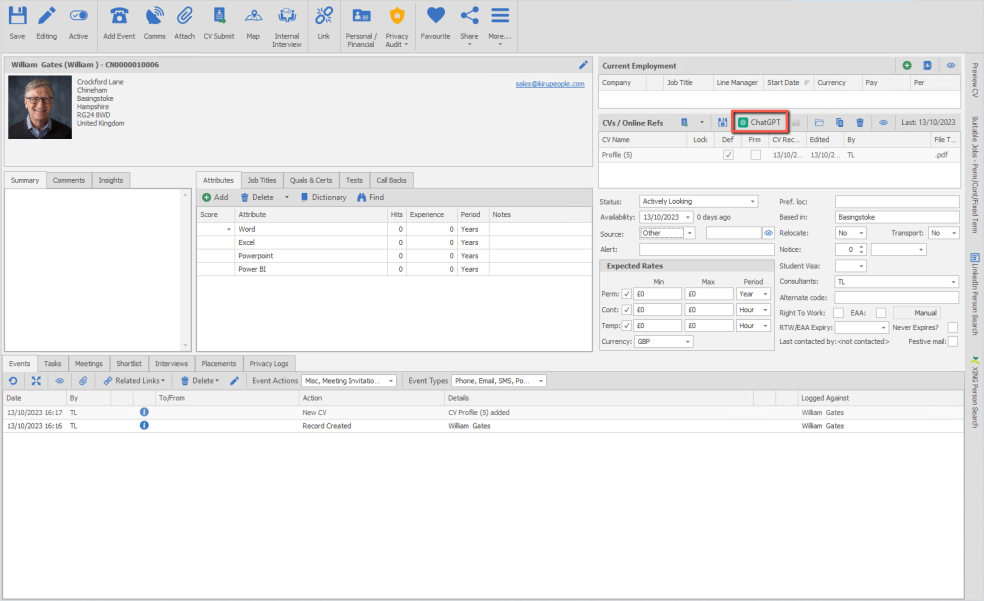
Select the CV file you wish to base the AI profile on, then click on ChatGPT button within the CVs grid
Within the AI profile builder dialogue box you can:
Tick to Merge CV before sending to ChatGPT - Tick only if you have selected a CV that has merge codes within it, this will ensure the merge data is included in the profile builder and not attempt to send merge codes to the AI profile builder.
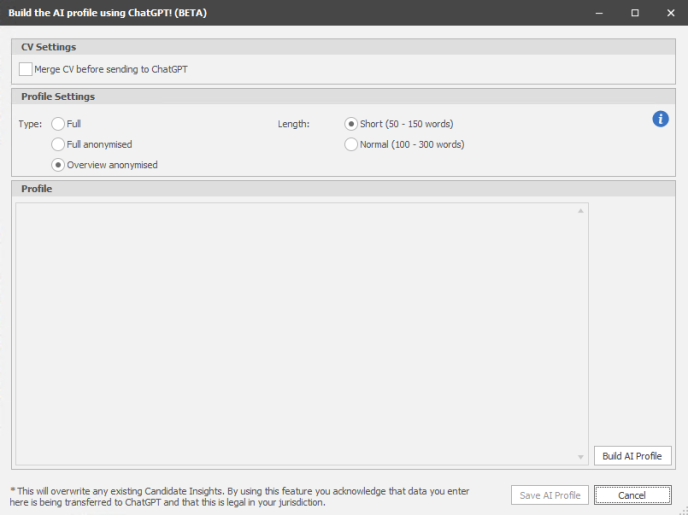
Within Build the AI profile box you can choose the Type of profile and the Length:
Type
| Full | Summary of the person that may contain personal information or company names |
| Full anonymised | Summary of the person that removes all personal information and does not include any company names or brands they have worked for |
| Overview and anonymised | Overview of the person that removes all personal information and does not include any company names or brands they have worked for |
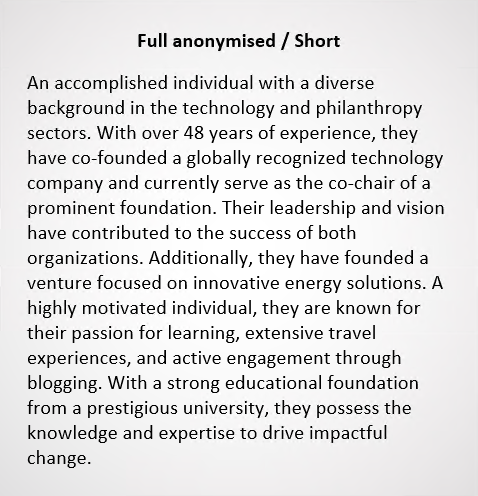
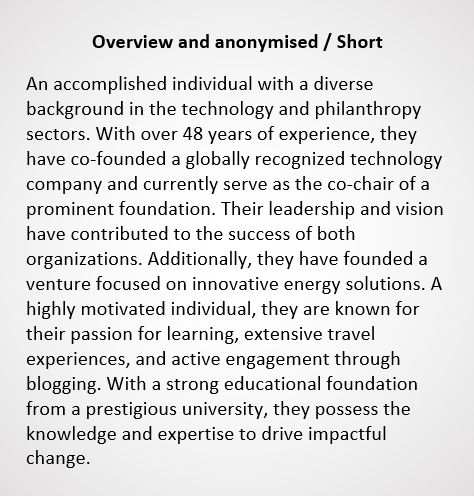
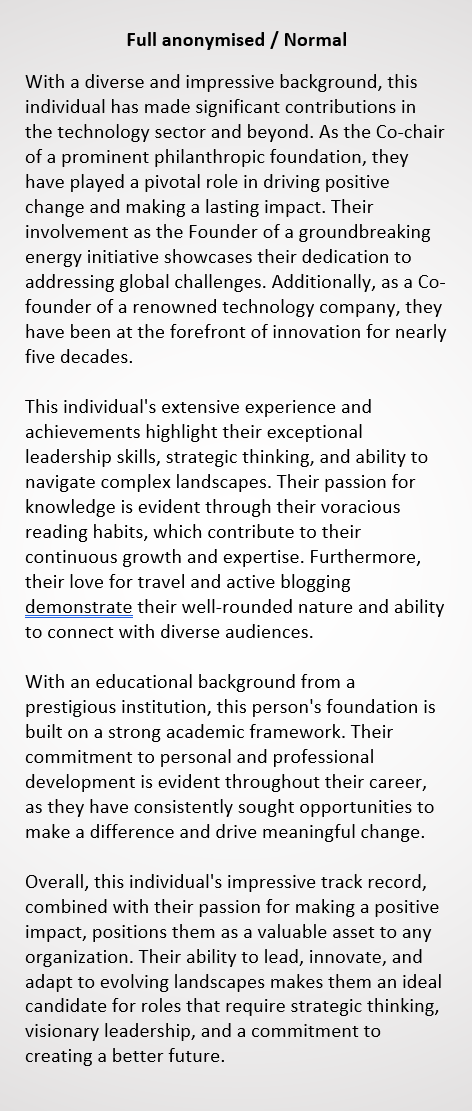
Examples of AI produced profiles (using Bill Gates LinkedIn profile)



Infinity Copilot Comms Centre Templates
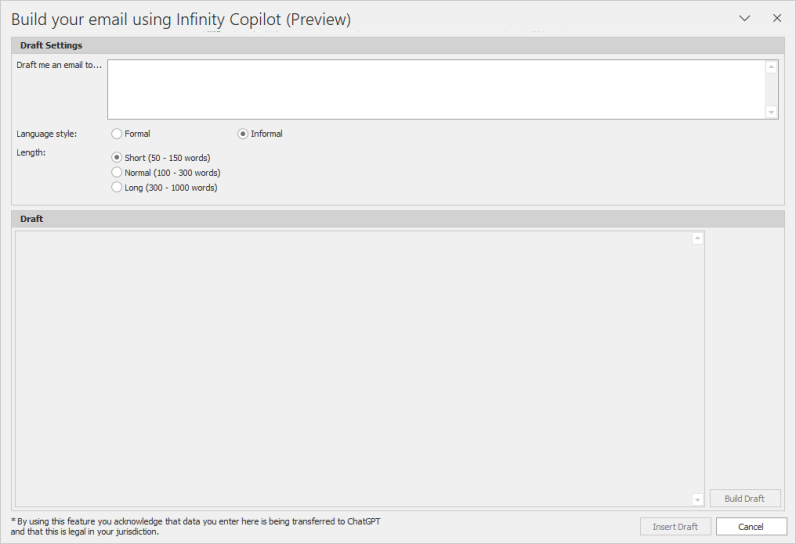
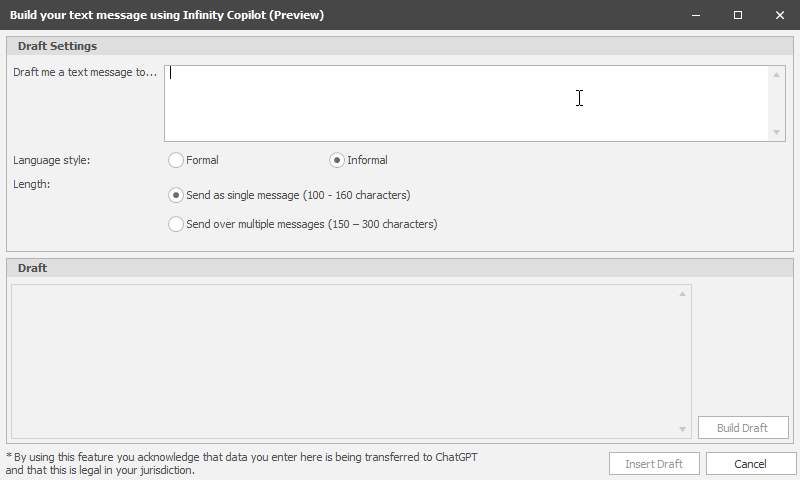
Utilise AI to create email, SMS and Postal templates
When creating a template you can click on AI Draft button

The Infinity Copilot dialogue box will launch:
SMS
Postal
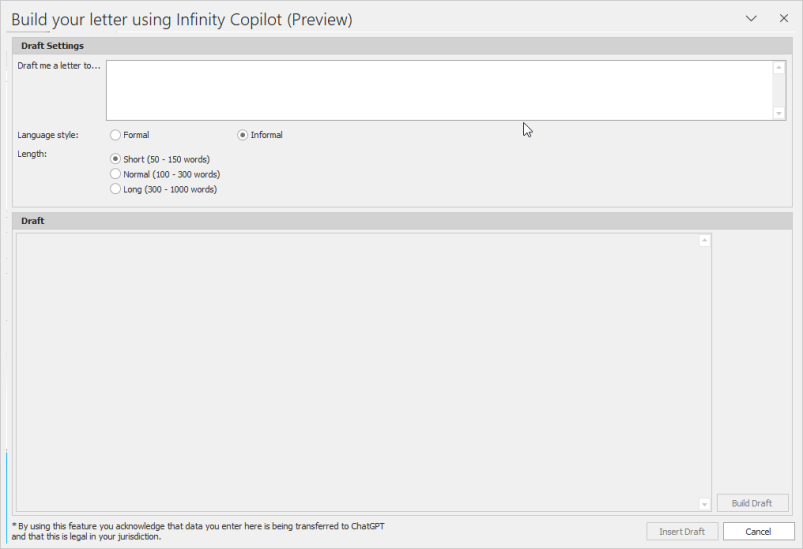
Type in the type of message you wish the AI to write into the open text box, set language style to formal or informal and then the length of characters you wish the message to be. Click Build Draft to preview, you can click again if you wish it to rebuild a different version or Insert Draft to accept it and then you can edit the content before saving and completing your template.
Contact Details
If you require further assistance please contact Ikiru People using the details published on www.ikirupeople.com
Visit our Customer Portal at https://portal.ikirupeople.com/ for future events and clinics.
FeedbackIf you would like to make suggestions or have found any errors with this Help section please contact our Support team.
Copyright © 2026 Voyager by Ikiru People Ltd. All rights reservedVersion 4.87
Voyager Software is a brand of Ikiru People Ltd, a subsidiary of Dillistone Group Plc. The group is a leading global provider of software and services that enable recruitment agencies and in-house recruiters to better manage their selection process and address the training needs of individuals. Across its brands – which include Voyager Software (recruitment software UK & Australia), Dillistone FileFinder executive search software, GatedTalent, the global database of the world’s leading executives, Talentis.Global – the next generation of recruitment software and also ISV.Online, provider of online pre-employment skills testing and training tools. Dillistone Group serves thousands of clients worldwide. Ikiru People Ltd: Registration Number 02043300. Registered in England & Wales.
 |  |  |  |