SaaS 
 General
Software as a Service (SaaS) is a software distribution model in which applications are hosted by a vendor or service provider and made available to customers over a network, typically the Internet. So your data is stored in the cloud, saving the need to have a server to store your data and with the flexibility of being able to access Infinity from anywhere that you have internet.
If you are interested in migrating to SaaS please contact our customer relations team.
Other features available for SaaS systems:
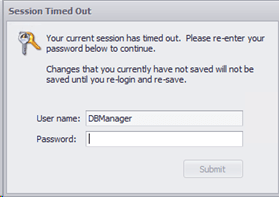
Session Timeout after 75 minutes
If Infinity has not been used in 75 minutes, then the session will timeout and you will be required to input your password again, to continue using Infinity.
Prevent uploading attachments that exceed size limit
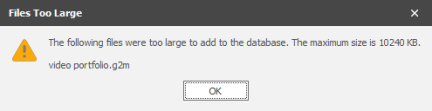
When adding a CV / attachment / photo / notes into Infinity, you will be prevented from attaching the file if the file is too big, the maximum size you are able to attach will be displayed within the "File Too Large" error message:
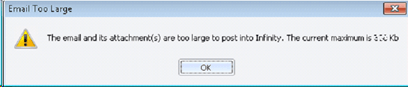
Exchange sync (email / calendar / task item) will log an event stating that the file could not be attached because it was too large:

iCapture - Exchange data source – a log is made in the event viewer
iCapture - Outlook Add in – you are prevented from posting to Infinity
When receiving Broadbean applications you will receive a warning within the Applications list:
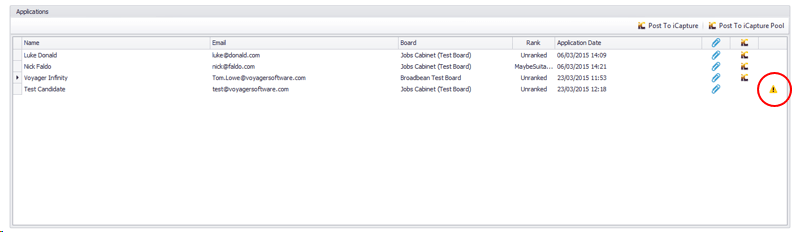
 Float your mouse over the warning symbol

If you open the .txt file it will detail the size of the file and the limit size:

Users can change their Voyager Instance Code on the SaaS client
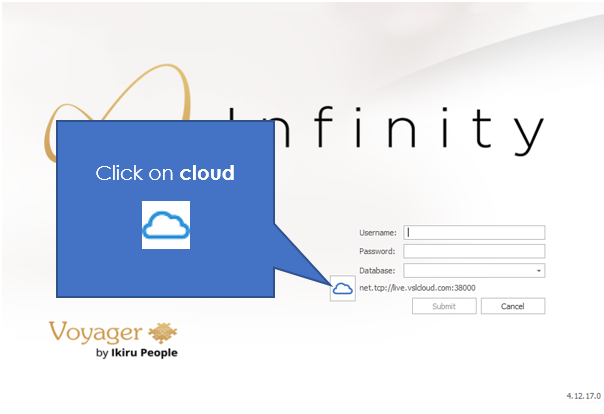
1. To change the Voyager Instance Code, click the ‘Cloud’ icon
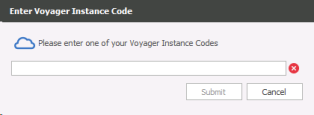
2. Enter the new Voyager Instance Code, and click ‘Submit’
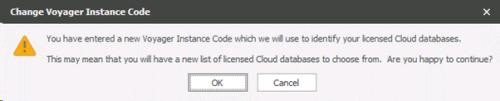
3. You are asked if you wish to continue?
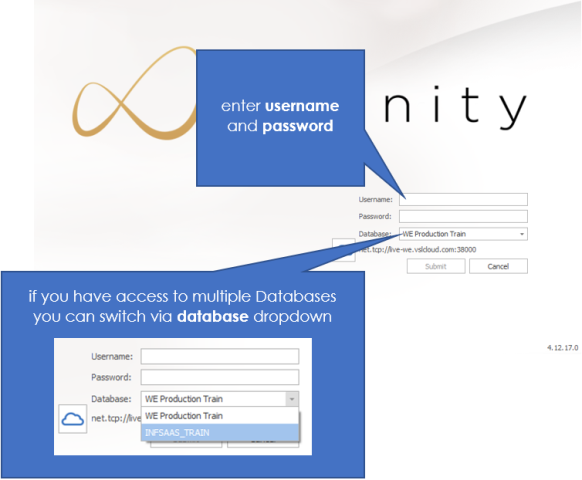
4. The Infinity logon screen then appears
After 3 attempts at entering a Voyager Instance Code the client locks for 90 seconds
You are only allowed 3 attempts at entering your Voyager instance code before the client locks for 90 seconds.
- When a user incorrectly enters a Voyager Instance Code for the first time, the following window appears

- When a user incorrectly enters a Voyager Instance Code for the second time, you are told that you have one final opportunity to enter a valid Voyager Instance:

- When a user incorrectly enters a Voyager Instance Code for the second time:
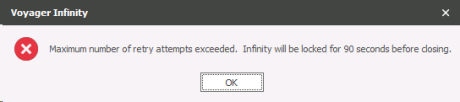
- You will have to wait 90 seconds before retrying, Infinity will close:
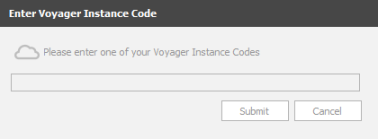
If the problem persists please contact support
The SaaS client will automatically request to be upgraded when a new version is available
The client will inform you that an update is required, and ask you to contact your IT administrator

Find SaaS
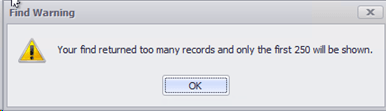
You are limited to 250 records in the find screen, a warning message will appear when too many records have been found:
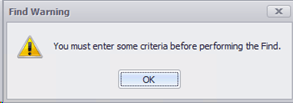
You will be prevented from using the Find screen when there is no criteria entered, if an attempt to find without criteria is made you will receive a SaaS warning message:
Running Reports for SaaS users
Due to the nature of the SaaS service you are unable to run a report instantly and will need to set it up as a schedule (see below) so it can run when the next report service runs, if multiple users run reports at the same time it may take several minutes for the report to be available.

Clicking on the reports button (on the Quick Access Toolbar) will load up the Infinity Reports.
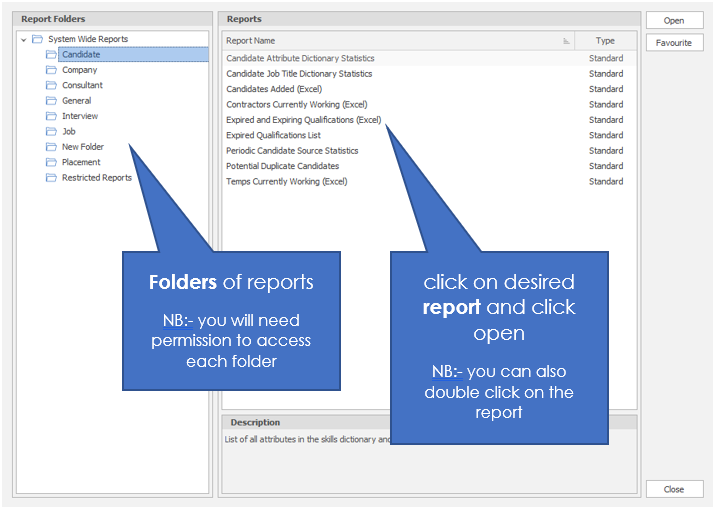
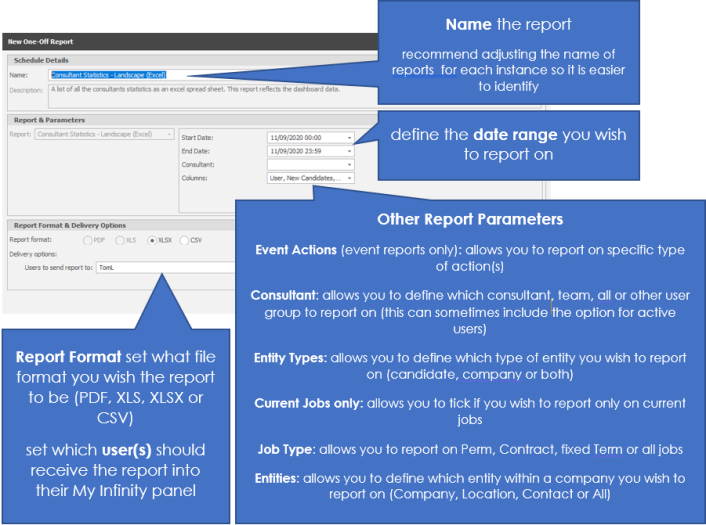
The New Scheduled Report dialogue box in which you will be given the appropriate parameters for the report you selected.
On completion of the parameter's click on create and a confirmation message will appear:
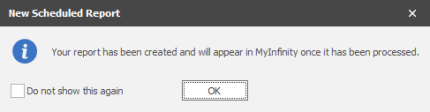
NB:- Tick Do not show this again if you no longer require this message to appear in future
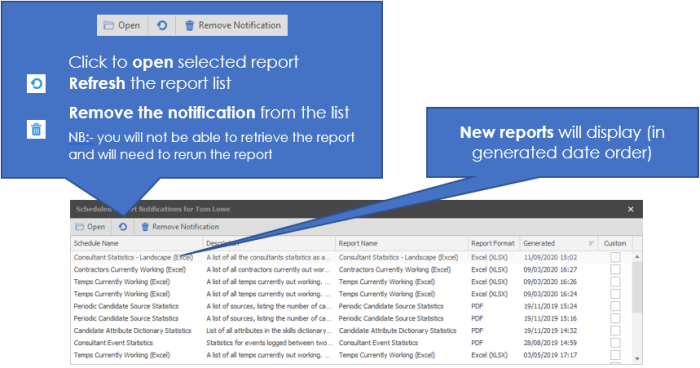
Within your My Infinity panel the report will appear as an entry:
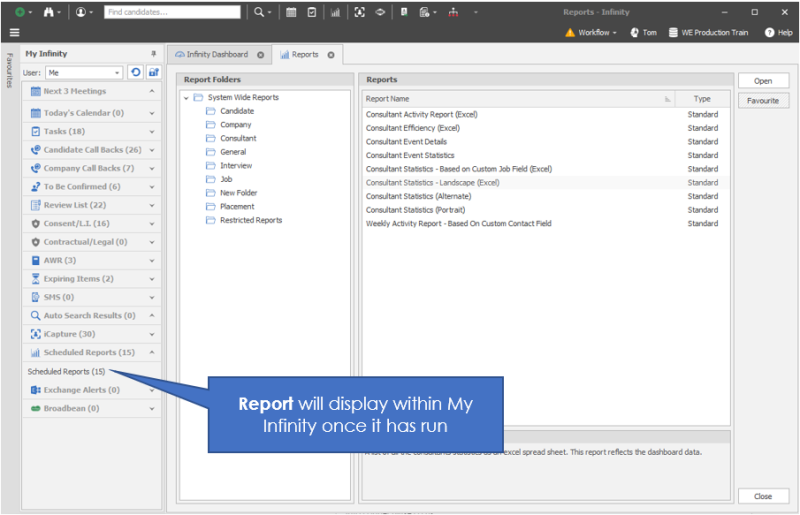
Clicking on this will open a dialogue box with the report details:
Contact Details
If you require further assistance please contact Ikiru People using the details published on www.ikirupeople.com
Visit our Customer Portal at https://portal.ikirupeople.com/ for future events and clinics.
FeedbackIf you would like to make suggestions or have found any errors with this Help section please contact our Support team.
Copyright © 2026 Voyager by Ikiru People Ltd. All rights reservedVersion 4.87
Voyager Software is a brand of Ikiru People Ltd, a subsidiary of Dillistone Group Plc. The group is a leading global provider of software and services that enable recruitment agencies and in-house recruiters to better manage their selection process and address the training needs of individuals. Across its brands – which include Voyager Software (recruitment software UK & Australia), Dillistone FileFinder executive search software, GatedTalent, the global database of the world’s leading executives, Talentis.Global – the next generation of recruitment software and also ISV.Online, provider of online pre-employment skills testing and training tools. Dillistone Group serves thousands of clients worldwide. Ikiru People Ltd: Registration Number 02043300. Registered in England & Wales.
 |  |  |  |