Job Search

 Walkthrough
The step by step instructions below are just as guidance and does not go through all options, see more information at the bottom of this topic for more in depth details
NB:- utilise ChatGPT within your searches, see ChatGPT section for more details
Step 1 - Initiate Search
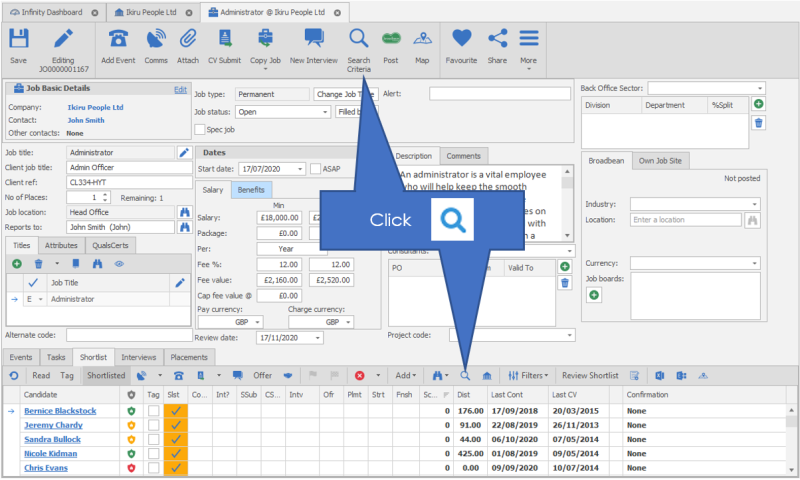
Step 2 - Search Builder Overview
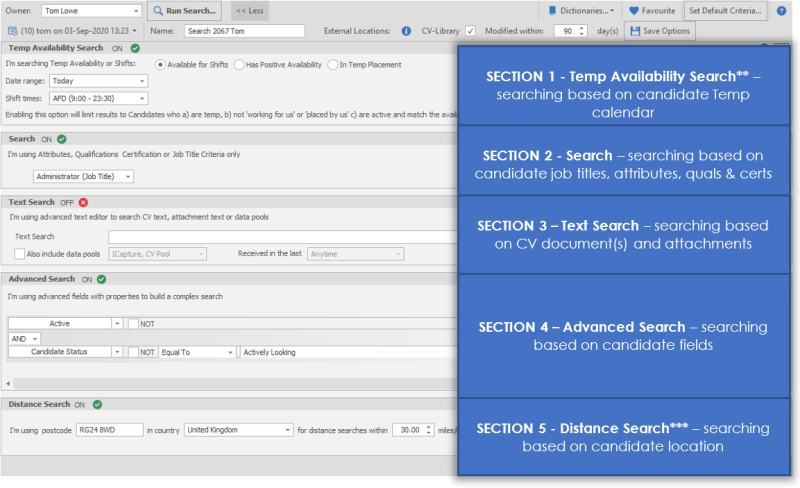
ChatGPT available in sections 1 and 2, see ChatGPT section for more details
Step 3 - Searching Skills
Enter appropriate criteria for the candidates you require for the role (consider - Job Title variations )
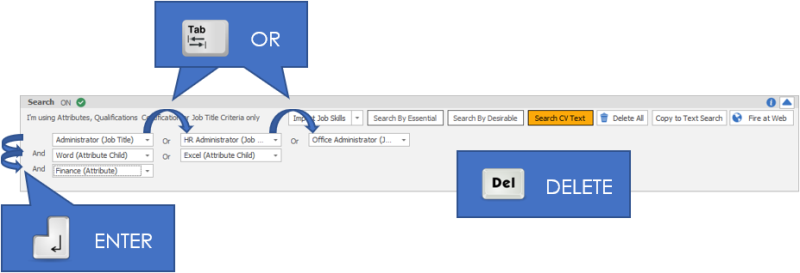
Step 4 - Switches
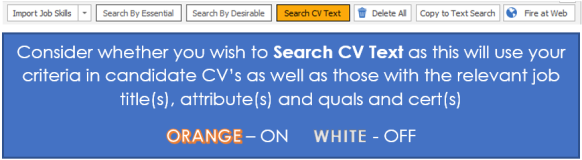
Step 5 - CV text Searching
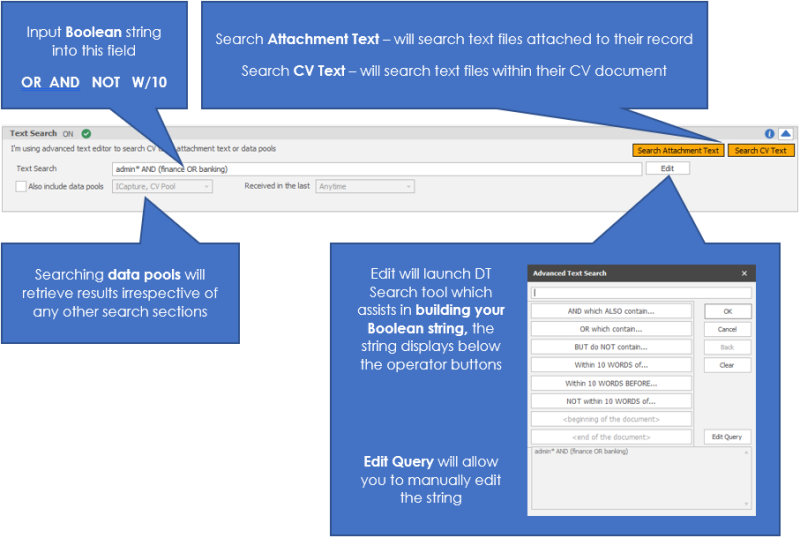
Step 6 - Advanced Search
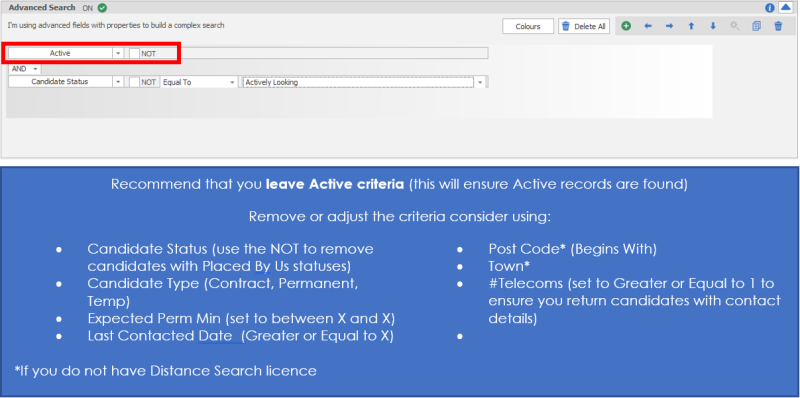
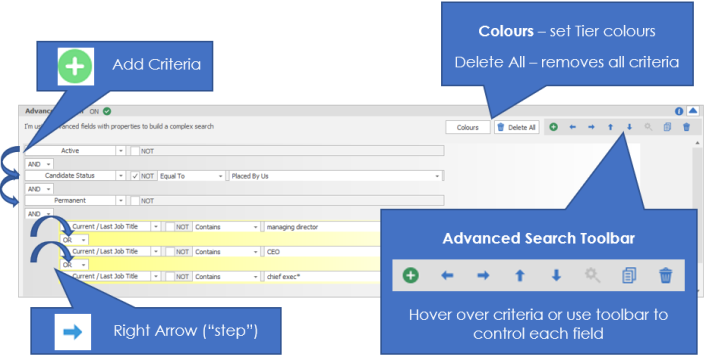
Step 7 - Advanced Search cont.
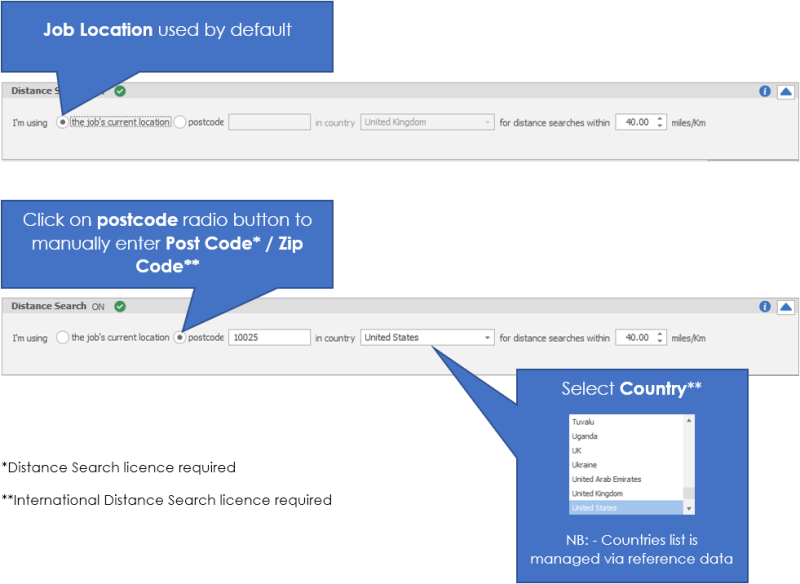
Step 8 - Distance Search
Available for Distance and Distance and Lookup Licence holders, see Distance Search section for more details


Need more information, click below:
Searching in Job
Search Results
 Contact Details
If you require further assistance please contact Ikiru People using the details published on www.ikirupeople.com
Visit our Customer Portal at https://portal.ikirupeople.com/ for future events and clinics.
FeedbackIf you would like to make suggestions or have found any errors with this Help section please contact our Support team.
Copyright © 2026 Voyager by Ikiru People Ltd. All rights reservedVersion 4.87
Voyager Software is a brand of Ikiru People Ltd, a subsidiary of Dillistone Group Plc. The group is a leading global provider of software and services that enable recruitment agencies and in-house recruiters to better manage their selection process and address the training needs of individuals. Across its brands – which include Voyager Software (recruitment software UK & Australia), Dillistone FileFinder executive search software, GatedTalent, the global database of the world’s leading executives, Talentis.Global – the next generation of recruitment software and also ISV.Online, provider of online pre-employment skills testing and training tools. Dillistone Group serves thousands of clients worldwide. Ikiru People Ltd: Registration Number 02043300. Registered in England & Wales.
 |  |  |  |