Tests

Test functionality is provided by ISV Software’s ‘ISV Online’ Product.
Recruitment testing remains the only way to be sure that your candidates or colleagues have the right skills to hit the ground running. Couple that with online training and you have the tools to recruit, retain and develop the best people.
 Setting up access to Tests
Please contact customer services on customers@voyagersoftware.com to set up an account. Ensure users have permission to allocate tests
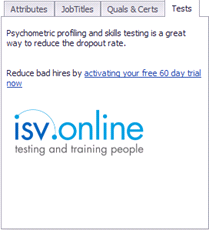
Clicking on the link will take you to more information regarding the offer and ISV.
Infinity tests - Candidate Record
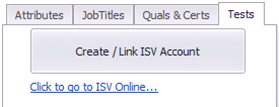
Candidates with an email address marked as send as default, a forename and surname, can be created/linked in ISV Online via the Candidate Tests Tab:
Candidate page tests tab:
Candidates that fail the mandatory requirements will display a warning sign with further details and cannot be created/linked:

Create / Link ISV Account
It will check to see if the candidate exists already in ISV Online using the 1st Send as Default email address.
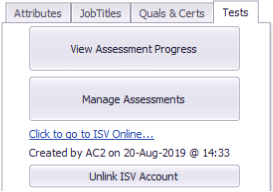
If no matches are found a new candidate is created in ISV Online and the Tests Tab is updated to show the candidate is linked and enable further ISV Online functionality:
If matches are found the user can choose to link to an existing ISV Online Candidate or create a new one:
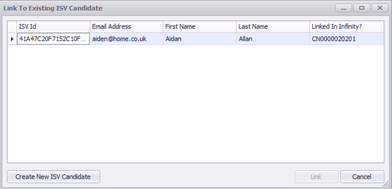
Matching ISV Online candidates that are already linked to a different Infinity Candidate cannot be linked. The Infinity Candidate reference number will be shown in the “Linked In Infinity?” column.
Linking to an existing ISV Candidate will update the Tests Tab to the show the candidate is linked and enable further ISV Online functionality:
When candidates are linked and changes made to the Infinity Candidate’s 1st default email address, forename or surname, the changes will be updated in the linked ISV Account the next time content is Added / Deleted from Infinity. Blank updates will not overwrite existing ISV data.
Setting a Test
To set a test click on Manage Assessments:
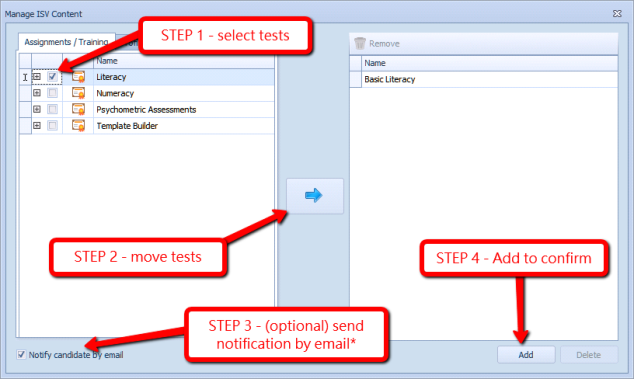
*Notification email is sent from ISV using ISV default template
You will require permission to Add or remove tests, see ISV integration
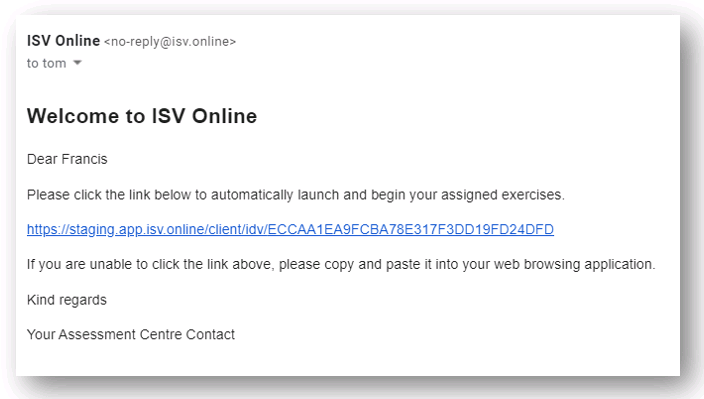
Notification
the email will include a hyperlink to the test:
Starting a Test
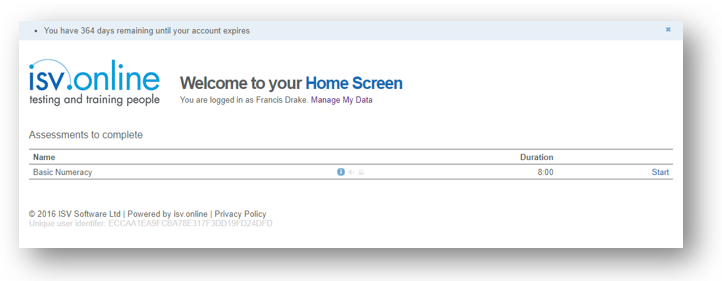
The candidate will asked to agree with the Privacy Policy before accessing the Home Screen. Within the Home Screen the candidate will be able to Manage My Data (review name and email address details).
The candidate can then view the test(s), duration and Start the test:
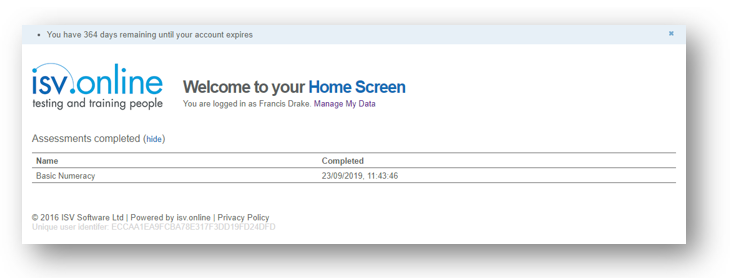
Once completing the test(s) the candidate will be able to review the completed date and time:
View Assessment Progress
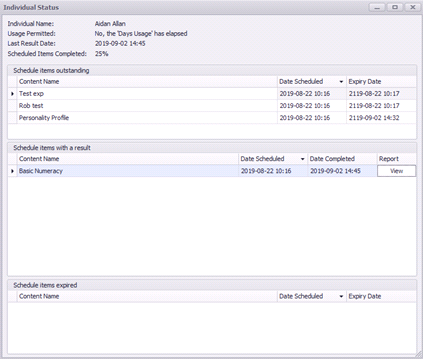
Shows the candidate’s ISV Online Status including scheduled, completed, expiring content along with detailed result reports:
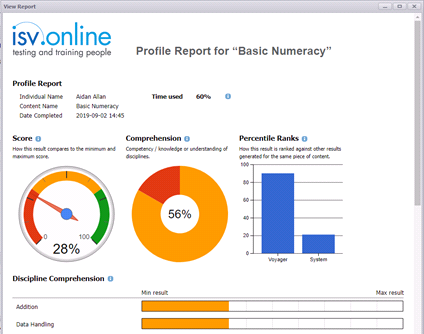
View report:
Manage Assessments
Allows content to be added / deleted from the ISV Account:
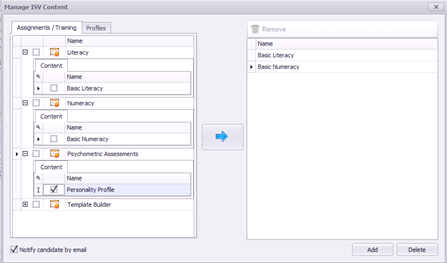
ISV content can be multi-selected individually, by category or exercise profile and moved via the central blue arrow button to the update grid on the right-hand side, ready to be Added or Deleted from the ISV Online account. Only incomplete content can be deleted.
User can optionally notify the candidate by email using the ISV default Email template.
You will require permission to Add or remove tests, see ISV integration
Unlink ISV Account
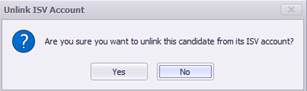
Allows an Infinity Candidate to be unlinked from its ISV Online Account:
Contact Details
If you require further assistance please contact Ikiru People using the details published on www.ikirupeople.com
Visit our Customer Portal at https://portal.ikirupeople.com/ for future events and clinics.
FeedbackIf you would like to make suggestions or have found any errors with this Help section please contact our Support team.
Copyright © 2026 Voyager by Ikiru People Ltd. All rights reservedVersion 4.87
Voyager Software is a brand of Ikiru People Ltd, a subsidiary of Dillistone Group Plc. The group is a leading global provider of software and services that enable recruitment agencies and in-house recruiters to better manage their selection process and address the training needs of individuals. Across its brands – which include Voyager Software (recruitment software UK & Australia), Dillistone FileFinder executive search software, GatedTalent, the global database of the world’s leading executives, Talentis.Global – the next generation of recruitment software and also ISV.Online, provider of online pre-employment skills testing and training tools. Dillistone Group serves thousands of clients worldwide. Ikiru People Ltd: Registration Number 02043300. Registered in England & Wales.
 |  |  |  |