SMTP
The Simple Mail Transfer Protocol is an internet standard communication protocol for electronic mail transmission. SMTP is used to send emails, so it only works for outgoing emails. To be able to send emails, you need to provide the correct SMTP server when you set up your email client. SMTP can't be used to retrieve and store emails. SMTP is also responsible for setting up communication between servers. The first server identifies itself and transmits the type of operation it will perform. The email is sent only after the second server authorizes the operation. SMTP is simple and reliable, but not very secure. Because it is text-based, SMTP is vulnerable to spoofing. Please contact your IT support for more information.
It is generally recommended that you utilise our Exchange integration, ensuring emails sent or received are checked for matching email addresses and automatically logged into the appropriate records. However, SMTP can be setup to work in conjunction with our exchange integration, generally used when sending out bulk emails. Speak to your IT support regarding best practice for larger mailshots.
If you have an Office 365 account, you can still utilise SMTP and will be setup by default.
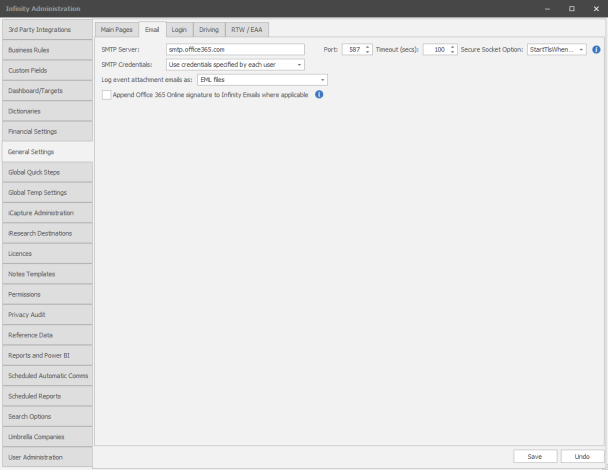
To setup SMTP go to General Settings and within the Email tab you can add SMTP server details, port, SSL and SMTP credentials:
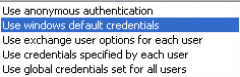
SMTP credentials, speak to your IT support / Email provider regarding the required option:
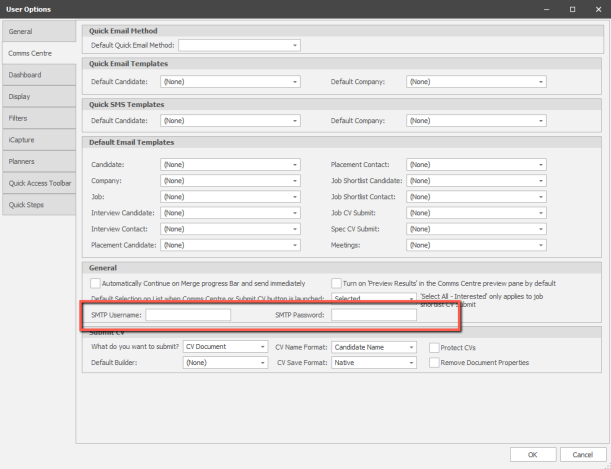
If you have user specific SMTP setup (Use credentials specified by each user) then each user can then add SMTP credentials within their user options, once again Office 365 it is setup by default to use the same credentials as your exchange account and should function immediately.
Sending Emails - set to SMTP
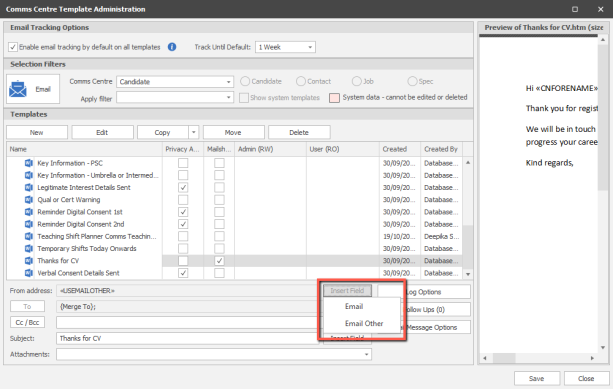
When using the Comms Centre you can change the send from to Email Other
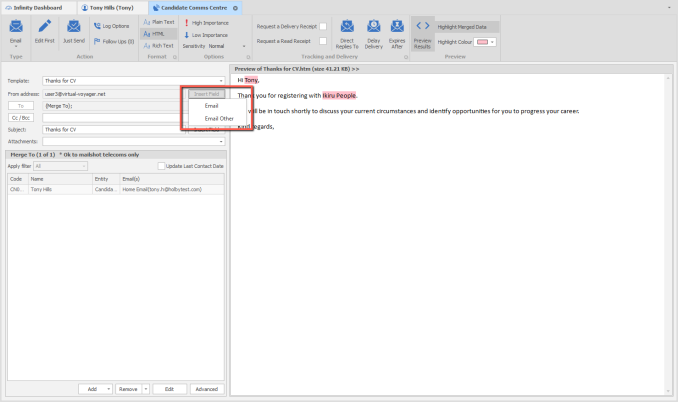
Email Other emails will use SMTP. If you wish to set Email Other by default you can set this within the Template itself
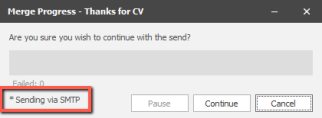
When sending out emails it will show that it is sending via SMTP
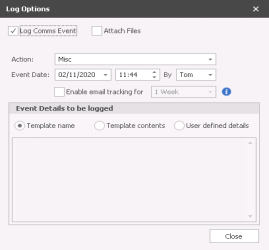
By default, emails sent will record onto records, you can setup how you wish an email to by logged via Log Options
SMTP (without Exchange)
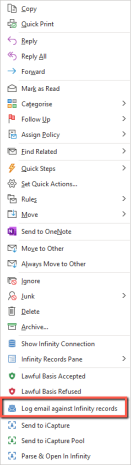 In some circumstances you may have a system that only uses SMTP as its email sending, this will mean that emails being sent or received will not automatically log within records. However, you will be able to manually log emails within Outlook via the right click option
Emails sent from Infinity will log in records, you can change how you want emails to log within records via log options (you can choose to attach a copy of the email, event name, what details you would like to go into records etc...
 Contact Details
If you require further assistance please contact Ikiru People using the details published on www.ikirupeople.com
Visit our Customer Portal at https://portal.ikirupeople.com/ for future events and clinics.
FeedbackIf you would like to make suggestions or have found any errors with this Help section please contact our Support team.
Copyright © 2026 Voyager by Ikiru People Ltd. All rights reservedVersion 4.87
Voyager Software is a brand of Ikiru People Ltd, a subsidiary of Dillistone Group Plc. The group is a leading global provider of software and services that enable recruitment agencies and in-house recruiters to better manage their selection process and address the training needs of individuals. Across its brands – which include Voyager Software (recruitment software UK & Australia), Dillistone FileFinder executive search software, GatedTalent, the global database of the world’s leading executives, Talentis.Global – the next generation of recruitment software and also ISV.Online, provider of online pre-employment skills testing and training tools. Dillistone Group serves thousands of clients worldwide. Ikiru People Ltd: Registration Number 02043300. Registered in England & Wales.
 |  |  |  |