Subject Access Request
Candidate can request a copy of the data that you hold about them, as stipulated within GDPR. Below details the Subject Access Request process
 Logging the Request
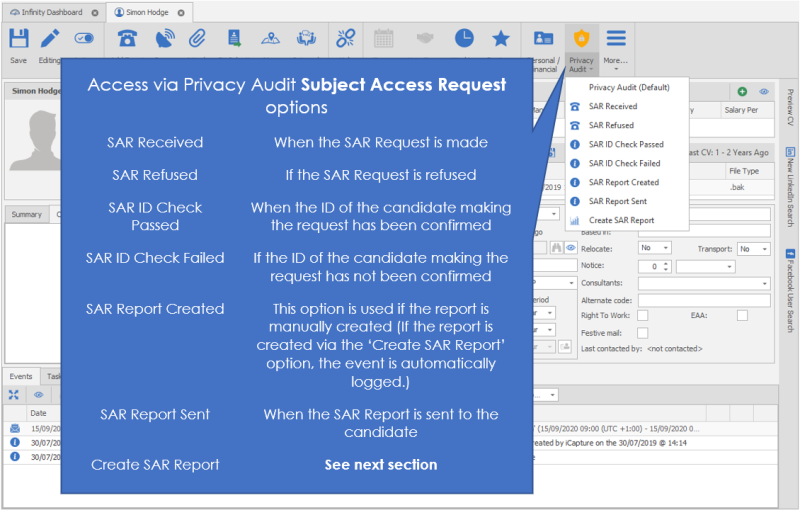
The following SAR Events can be logged from the ‘Privacy Audit Icon’
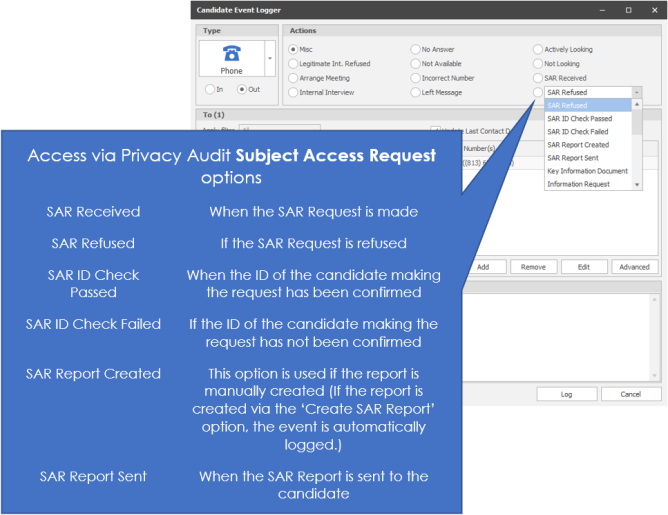
The event logger is used to log the events, with the relevant option auto-populated
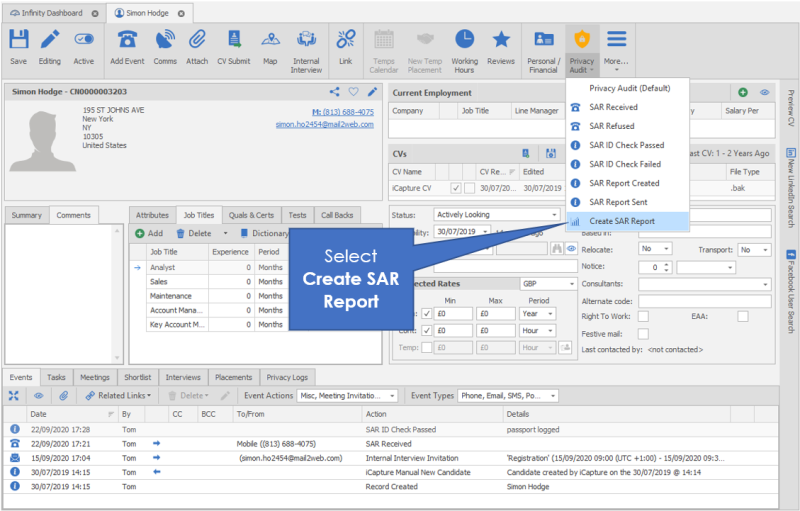
Below are examples of SAR event logs:

NB:- SAR Event logs cannot be edited or deleted
Generating SAR Report
Permission is required to allow users to create the Subject Access Report:

NB:- DBManagers will have permission by default
The SAR Report can be created from the ‘Privacy Audit Icon’
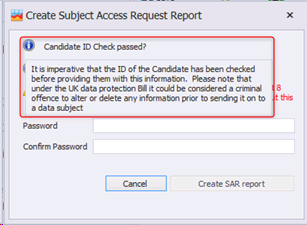
The ‘I’ icon provides information regarding the ID Check
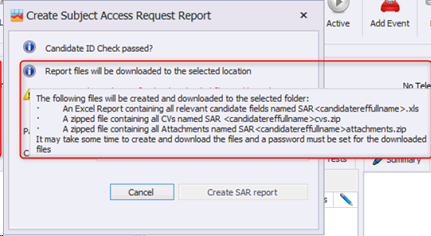
The ‘I’ icon provides information regarding the files that are downloaded
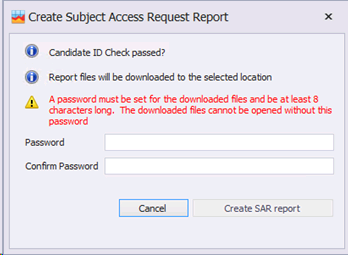
A Password must be entered, to secure the files that are downloaded. It is important that the user remembers the password, as it will need to be given to the candidate in order for them to open the files.
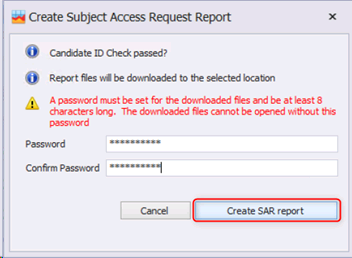
Then click ‘Create SAR report’
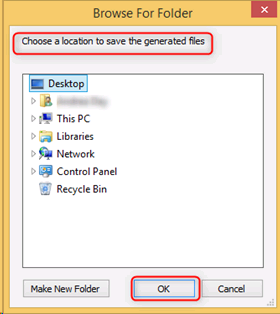
You will then be asked for Browse for the folder where the files will be stored
The Progress of the download is displayed
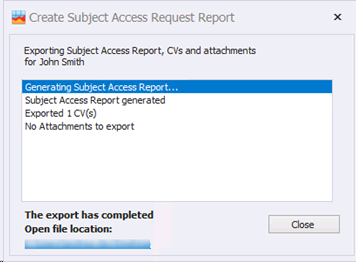
When the download has finished, the file location is automatically opened
One excel doc and two ZIP files are downloaded:
- Excel spreadsheet, containing all the candidates data from the Infinity database
• The Spreadsheet is encrypted and password protected
• It does not support Excel 2007 and below
• The filename is ‘SAR Candidate ID Candidate Forename Candidate Surname’
- ZIP file containing one file for each CV they have
• The filename is ‘SAR Candidate ID Candidate Forename Candidate Surname CVs’
- ZIP file containing one file for each attachment they have
• Includes Candidate page attachments, event attachments including those logged against other pages and linked to the Candidate e.g. Placement
• The filename is ‘SAR Candidate ID Candidate Forename Candidate Surname Attachments’
An event is automatically logged (You will need to refresh the candidate page)

Once it’s finished, it automatically opens the file location
See GDPR section for more details
See Candidate Privacy Audit section for more details
See Suppression Lists for more details
See Automatic Restrictions section for more details
See Subject Access Request for more details
Contact Details
If you require further assistance please contact Ikiru People using the details published on www.ikirupeople.com
Visit our Customer Portal at https://portal.ikirupeople.com/ for future events and clinics.
FeedbackIf you would like to make suggestions or have found any errors with this Help section please contact our Support team.
Copyright © 2026 Voyager by Ikiru People Ltd. All rights reservedVersion 4.87
Voyager Software is a brand of Ikiru People Ltd, a subsidiary of Dillistone Group Plc. The group is a leading global provider of software and services that enable recruitment agencies and in-house recruiters to better manage their selection process and address the training needs of individuals. Across its brands – which include Voyager Software (recruitment software UK & Australia), Dillistone FileFinder executive search software, GatedTalent, the global database of the world’s leading executives, Talentis.Global – the next generation of recruitment software and also ISV.Online, provider of online pre-employment skills testing and training tools. Dillistone Group serves thousands of clients worldwide. Ikiru People Ltd: Registration Number 02043300. Registered in England & Wales.
 |  |  |  |