Web reviews
Overview
This functionality is available for SaaS customers only.
Emails can be sent from Infinity to placement contacts asking for a review of the candidate. The recipient can click a link and complete the review on a website. If the review is completed it is automatically updated on the Infinity database.
Administration
If desired, a company name and logo can be shown on the review website. These are added via the Administration / General Settings / Website Review tab.
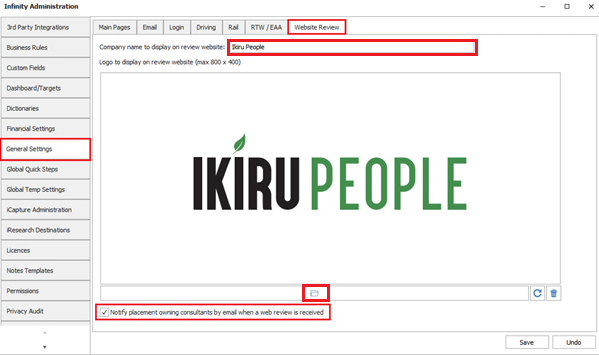
The company name field allows up to 50 characters to be entered.
A picture file can be uploaded for the logo and must not be bigger than 800x400 pixels and must adhere to the maximum file attachment size allowed on the database.
There is a setting to notify placement owning consultants by email when a web review is received on their placements. The setting is on as default.
When the setting is enabled, an SMTP email is automatically sent by Infinity for each web review received to all owning consultants of the placement (one email with multiple 'to' addresses).
Comms Centre
There is a new merge field called ‘Review Candidate Links’ in the Placement group / Text Fields tab in Email Placement - Contact Comms Centre.
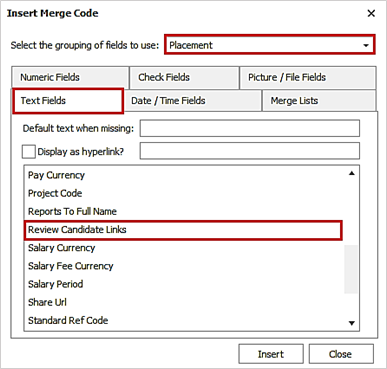
This will add a web review (a block of separate 1-5 star images) hyperlink to your email Comms Centre template.
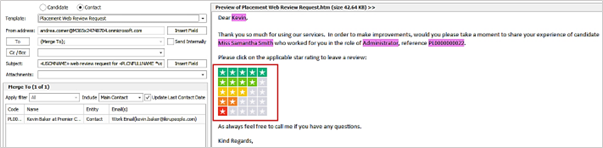
Note: the merge field will be seen by On Premise Installations and in the Post and SMS Comms Centre but is not usable.
When the email is sent from Infinity and is received by the recipient, they can click the applicable star rating to leave a review of the placement candidate.
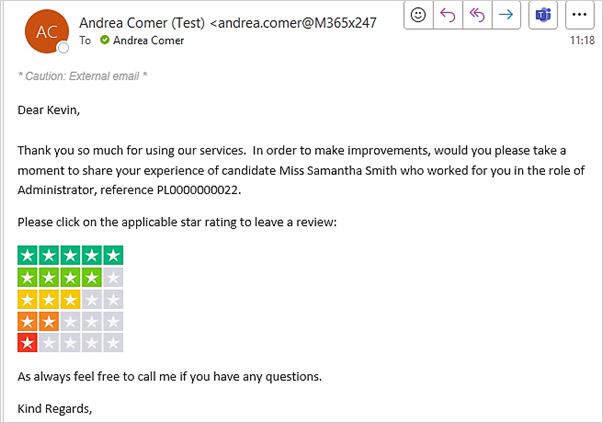
When a link/image is clicked, it opens a website for the recipient to complete the review.
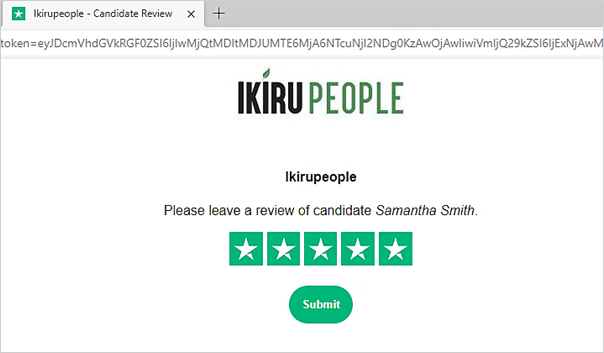
The website shows the company name, logo (as configured in the Infinity Administration screen), and placement candidate name, centred on the screen.
The star rating that the recipient clicked on in the email will be selected as default but can be changed as required. When the ‘Submit’ button is pressed, the website is closed and a review of the candidate by the company is created against the candidate / company record, and related to the placement.
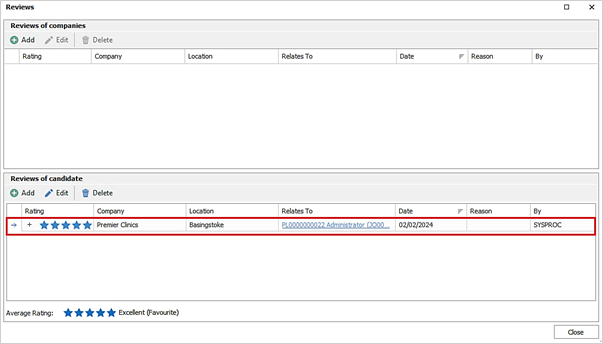
If the placement has a location, the review is recorded against that specific location, otherwise the location field is set to all locations.
The review by field is shown as ‘SYSPROC’ as it has been created by the system and not a user.
When a website review is received on a placement, an event is logged on the placement page.

- This is an Info event with an event action of 'Web Review of Candidate'
- Will show as logged by the service user called ‘Sysproc’
- Is visible on the related candidate, company and job page also
 Contact Details
If you require further assistance please contact Ikiru People using the details published on www.ikirupeople.com
Visit our Customer Portal at https://portal.ikirupeople.com/ for future events and clinics.
FeedbackIf you would like to make suggestions or have found any errors with this Help section please contact our Support team.
Copyright © 2026 Voyager by Ikiru People Ltd. All rights reservedVersion 4.87
Voyager Software is a brand of Ikiru People Ltd, a subsidiary of Dillistone Group Plc. The group is a leading global provider of software and services that enable recruitment agencies and in-house recruiters to better manage their selection process and address the training needs of individuals. Across its brands – which include Voyager Software (recruitment software UK & Australia), Dillistone FileFinder executive search software, GatedTalent, the global database of the world’s leading executives, Talentis.Global – the next generation of recruitment software and also ISV.Online, provider of online pre-employment skills testing and training tools. Dillistone Group serves thousands of clients worldwide. Ikiru People Ltd: Registration Number 02043300. Registered in England & Wales.
 |  |  |  |