Infinity Email Tracking
General
This is available to customers to enable tracking when recipients open an email by inserting a transparent web beacon image into the HTML email sent from the comms centre. The person receiving the email must download images for it be tracked successfully
WARNING: Company guidelines on email tracking practices should be established and included in company privacy policies before enabling this functionality. Please consult your own legal advisor for advice specific to your own business practice and circumstances.
 Automatic Tracking on All Emails
Email tracking, with a ‘track until’ period, can be enabled as default for ALL email templates in the comms centre template administration screen
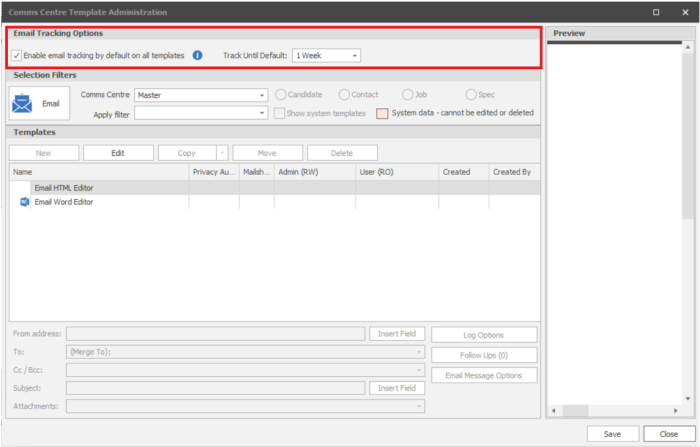
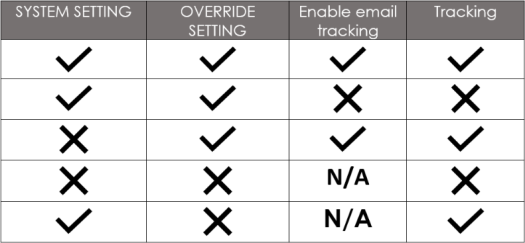
If set to track all outgoing template emails, you can setup templates to override this system wide setting within the templates log options which will then use the Enable email tracking Tick box, so if unticked it will NOT have tracking:
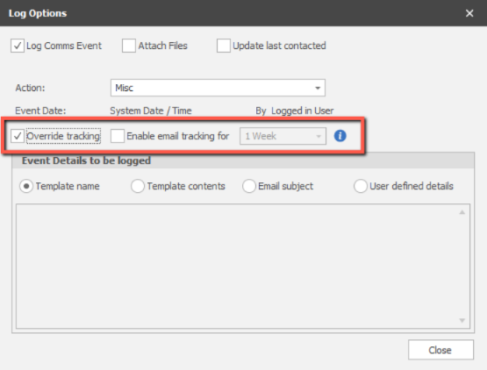
Set Automatic Tracking on Individual Email Templates
Within Comms Centre administration area you will find the Log Options for each template:
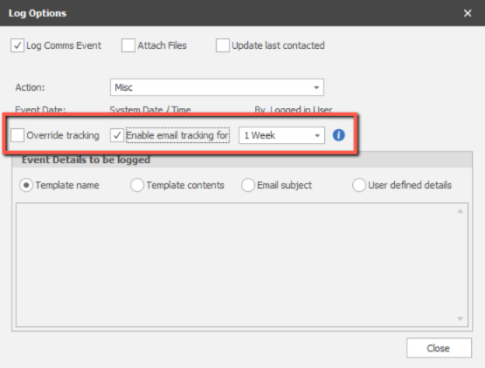
NB:- Override Tracking will disable the system wide tracking setting and then either enable or disable tracking depending on the setting here
Tracking Settings table
Set Tracking Manually
The setting is off as default and can also be enabled or changed, per email send. The email tracking setting is available in the comms centre / log options screen when ‘Log Comms Event’ is ticked. You can:
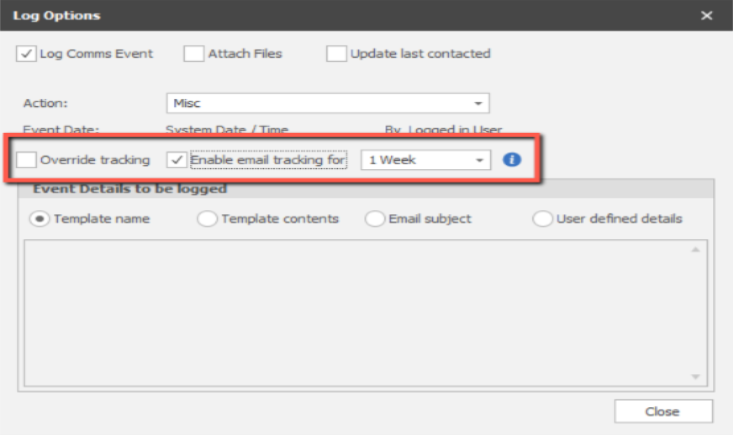
Tracking Settings table
Email Tracking Results
Email tracking will occur from the date the email is sent, for the duration of the ‘track until’ period. The information is available to all users on the email event record on the main pages if required

The three email tracking columns can be added by the user via the events grid, right click column chooser menu (remembering to save layout afterwards)
- Opens – the total number of times the email has been opened by recipients
- Last Open – the date and time the email was last opened
- Track Until – the last day the email will be tracked
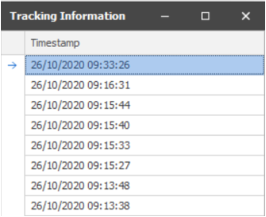
The ‘Opens’ field is a hyperlink and when clicked displays the date and time the opens occurred.
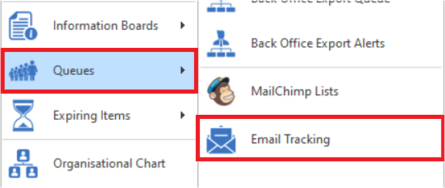
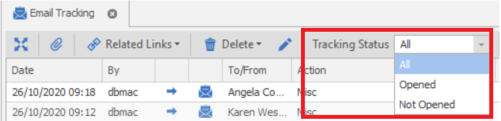
Users can monitor their actively tracked emails from the Application / Queues / Email Tracking menu
The tracked emails are displayed in an event grid and standard event functionality is available

Right click on the To / From column to open the page of the candidate / contact you sent the email to
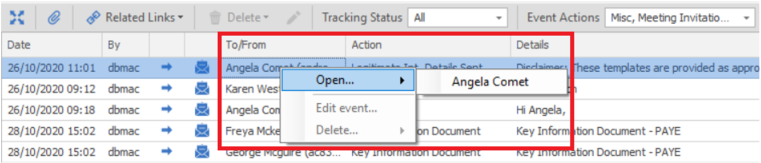
If the email was sent from the job, interview or placement page, right click on the related info column or click the button on the toolbar to go to that page

Tracked email events are ordered by last open, then event date with the newest at the top and can additionally be filtered by the tracking status (all, opened and not opened)
Contact Details
If you require further assistance please contact Ikiru People using the details published on www.ikirupeople.com
Visit our Customer Portal at https://portal.ikirupeople.com/ for future events and clinics.
FeedbackIf you would like to make suggestions or have found any errors with this Help section please contact our Support team.
Copyright © 2026 Voyager by Ikiru People Ltd. All rights reservedVersion 4.87
Voyager Software is a brand of Ikiru People Ltd, a subsidiary of Dillistone Group Plc. The group is a leading global provider of software and services that enable recruitment agencies and in-house recruiters to better manage their selection process and address the training needs of individuals. Across its brands – which include Voyager Software (recruitment software UK & Australia), Dillistone FileFinder executive search software, GatedTalent, the global database of the world’s leading executives, Talentis.Global – the next generation of recruitment software and also ISV.Online, provider of online pre-employment skills testing and training tools. Dillistone Group serves thousands of clients worldwide. Ikiru People Ltd: Registration Number 02043300. Registered in England & Wales.
 |  |  |  |