Mailer Integration
 General

Infinity integrates with the Email Marketing Service MailChimp, enabling users to create lists of candidates or contacts and then sending the lists to MailChimp, to then utilise all the features MailChimp offers.
To view the current pricing click here
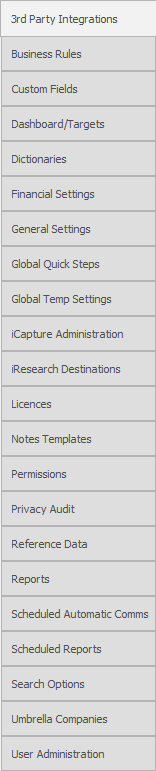
To setup your MailChimp integration within Infinity go to the Administration section Mailer Integration:
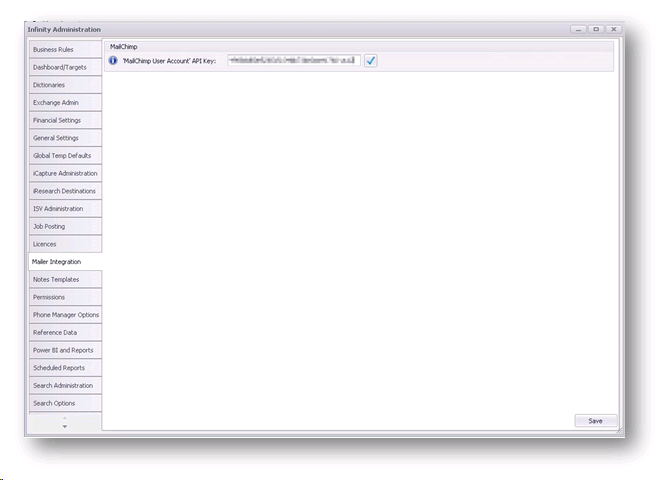
You will need to input your API key into the field and validate to enable Infinity to send search results into MailChimp.
Create your MailChimp API
If you do not have a MailChimp account click here to create your account, MailChimp will allow you to use its services for Free but its price plan is based on number of subscribers (number of people within your lists), so once the total number of candidates or contacts adds up to over 2000 you will be required to reduce your list sizes or pay for its services. The free service also limits the number of emails being sent each month, see the pricing section of MailChimp for more details.
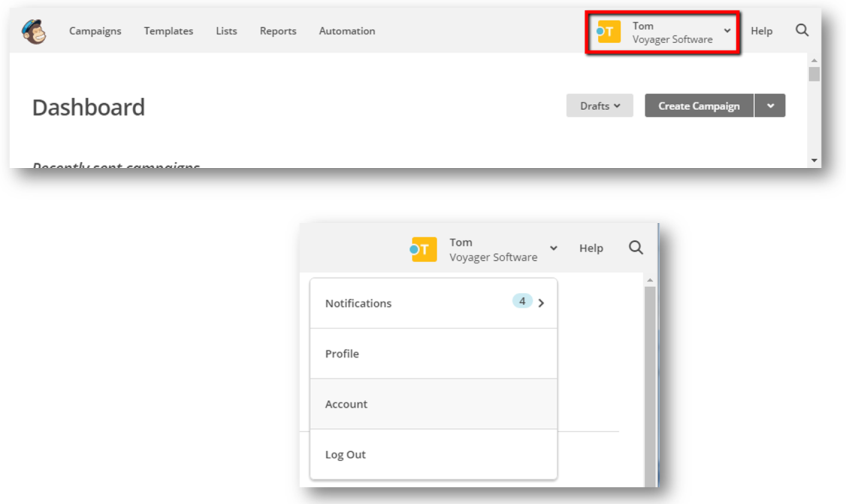
Click on your profile dropdown within MailChimp and select Account within the dropdown list:
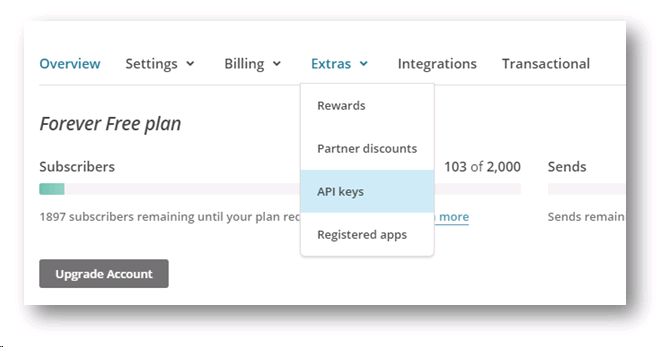
Click on the Extras dropdown and select API Keys:
You can Create a Key via the button within Your API Keys:
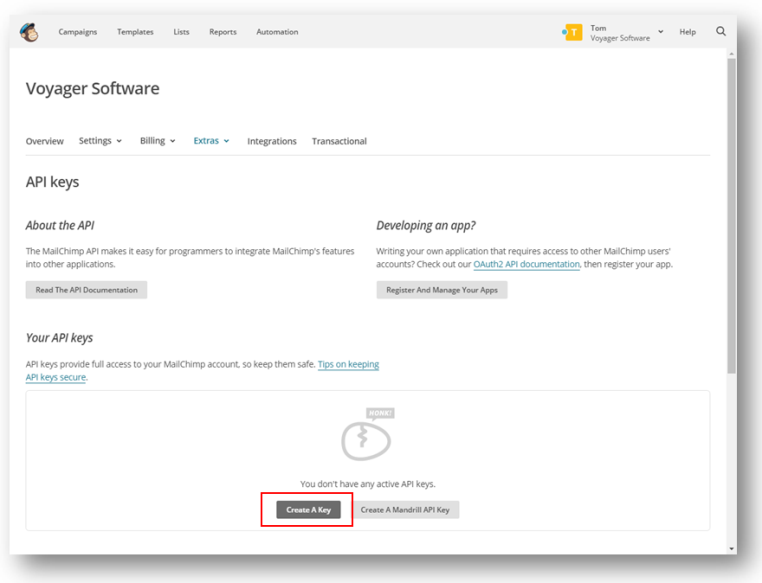
Once created you can click on the key (code) and copy it into the Mailer Integration area of Infinity:
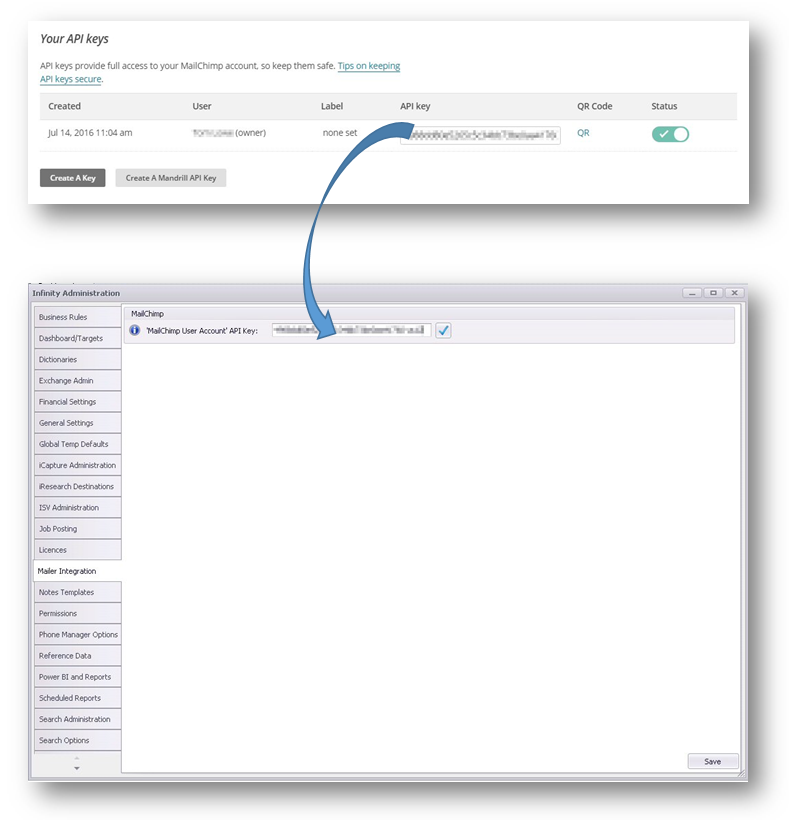
Tick to validate, a green tick will appear to verify the account
MailChimp Permissions
There are two permission settings for the MailChimp integration:


 Contact Details
If you require further assistance please contact Ikiru People using the details published on www.ikirupeople.com
Visit our Customer Portal at https://portal.ikirupeople.com/ for future events and clinics.
FeedbackIf you would like to make suggestions or have found any errors with this Help section please contact our Support team.
Copyright © 2026 Voyager by Ikiru People Ltd. All rights reservedVersion 4.87
Voyager Software is a brand of Ikiru People Ltd, a subsidiary of Dillistone Group Plc. The group is a leading global provider of software and services that enable recruitment agencies and in-house recruiters to better manage their selection process and address the training needs of individuals. Across its brands – which include Voyager Software (recruitment software UK & Australia), Dillistone FileFinder executive search software, GatedTalent, the global database of the world’s leading executives, Talentis.Global – the next generation of recruitment software and also ISV.Online, provider of online pre-employment skills testing and training tools. Dillistone Group serves thousands of clients worldwide. Ikiru People Ltd: Registration Number 02043300. Registered in England & Wales.
 |  |  |  |