Distance Search and Lookup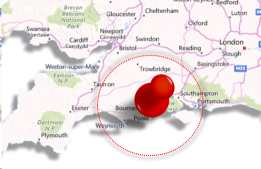
Distance and Lookup is a licensed feature and a chargeable feature which allows users allocated with the licence to complete searches based on the entities location, so for example, when running searches of your candidates you can return only those within 20 miles of a particular post code.
Upgrade to International Distance Search to enable the facility to radius search other countries, speak to customer services for up-to-date pricing.
If all users are allocated a licence then iMaps can be enabled, contact customer services
What is Lookup (which includes Distance Search)?
Lookup enables you to auto complete addresses for candidates and clients. This ensures accuracy of address data. Lookup licences includes the ability to also Distance Search.
NB: - You are required to have at least one Full Distance Search & Address Lookup licence to enable geocoding of Infinity and then can opt for just Distance Search or more Lookup additional licences (so for 4 users you would have 1 Lookup and 3 Distance Search, unless you want more than one user to have the facility to Lookup addresses)
What is Distance Search?
Distance Search enables you to complete radius searching in most search screens (candidate, contact, location, job and placement). It pinpoints the full post code you have entered and will return entities that are within a certain radius you require.
Auto Complete Addresses (Address Lookup)
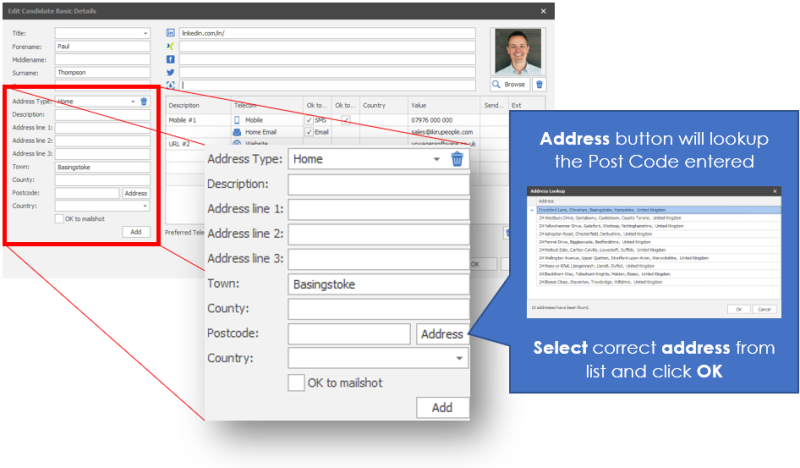
Within a candidate record you can autofill the address by clicking on the address button, adding a house number / name to complete the record
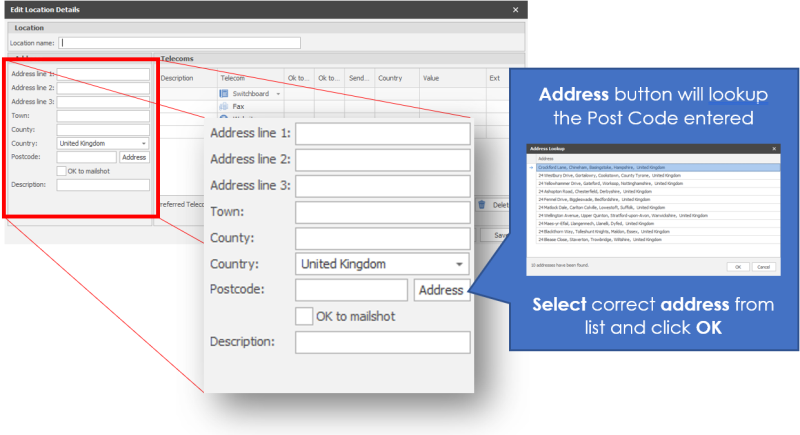
Within a company record you can autofill the location address via the address button, adding a house number / name to complete the record
Distance Searching
Radius searching can be completed within an Ad Hoc search (candidate / Company / Location / Contact / Job / Placement or candidate search from a Job, entering the number of miles from a Post Code (full code required)

International Distance Search Licence
You can set which country you wish to search and enter relevant postcode, Countries that are included can be found on Microsoft Azure geocoding Coverage website
Searching

iMaps
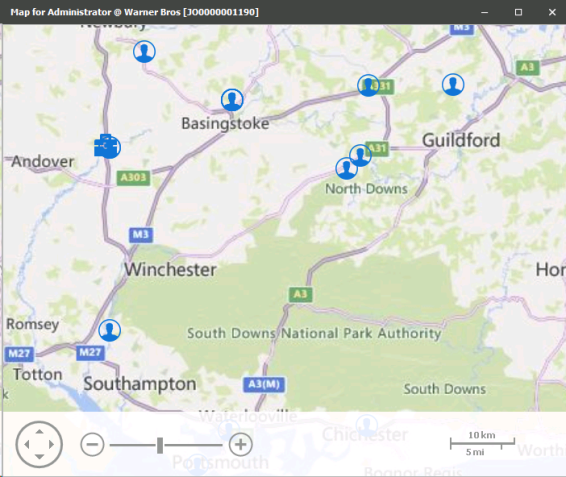
iMaps is available in Shortlists if all users have Distance Search or International Distance Search licences, to activate iMaps please contact customer services
If you wish to discuss further please contact customer services
 Contact Details
If you require further assistance please contact Ikiru People using the details published on www.ikirupeople.com
Visit our Customer Portal at https://portal.ikirupeople.com/ for future events and clinics.
FeedbackIf you would like to make suggestions or have found any errors with this Help section please contact our Support team.
Copyright © 2026 Voyager by Ikiru People Ltd. All rights reservedVersion 4.87
Voyager Software is a brand of Ikiru People Ltd, a subsidiary of Dillistone Group Plc. The group is a leading global provider of software and services that enable recruitment agencies and in-house recruiters to better manage their selection process and address the training needs of individuals. Across its brands – which include Voyager Software (recruitment software UK & Australia), Dillistone FileFinder executive search software, GatedTalent, the global database of the world’s leading executives, Talentis.Global – the next generation of recruitment software and also ISV.Online, provider of online pre-employment skills testing and training tools. Dillistone Group serves thousands of clients worldwide. Ikiru People Ltd: Registration Number 02043300. Registered in England & Wales.
 |  |  |  |