Information Boards
 General
The Information boards are for you to be able to see at and view information relating to important parts of the recruitment cycle. You can access the information boards from the application menu and from the default quick access toolbar.
Jobs
This shows a view of all users currently open Jobs and is an all users version of the My Infinity - My Current Jobs area.
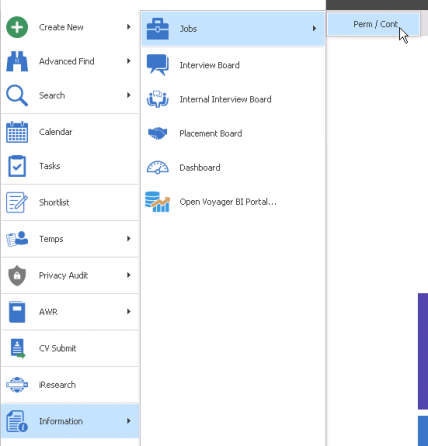
Functionality is the same as 'My Jobs – Perm/Contract’ My Infinity section but the grid has an additional column for consultants
A loading window may display when returning very large numbers of jobs
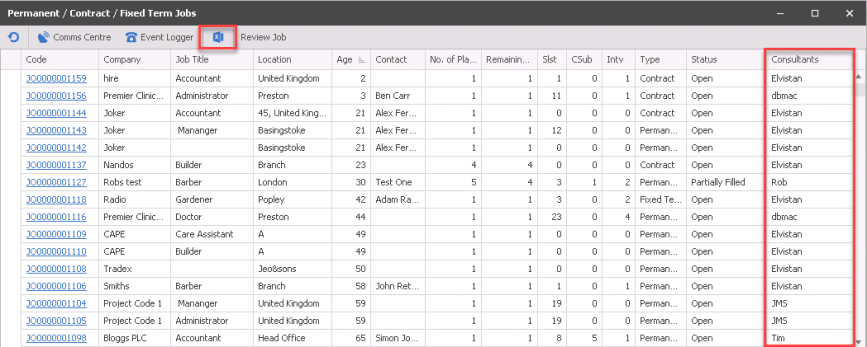
An ‘Export to Excel’ button has also been added to the toolbar on the following job lists -
- ‘My Jobs – Perm/Contract’ My Infinity section
- Application Menu / Information / Jobs / Perm/Contract
The logged on user will requires the 'Export Grid' action permission to export it to Excel.
Interview Board
This shows a defaulting weekly view of the external (client) interviews that are due to happen. Double click on any entry to go to the interview record. You can leave the interview board open as a tab to review to throughout the day
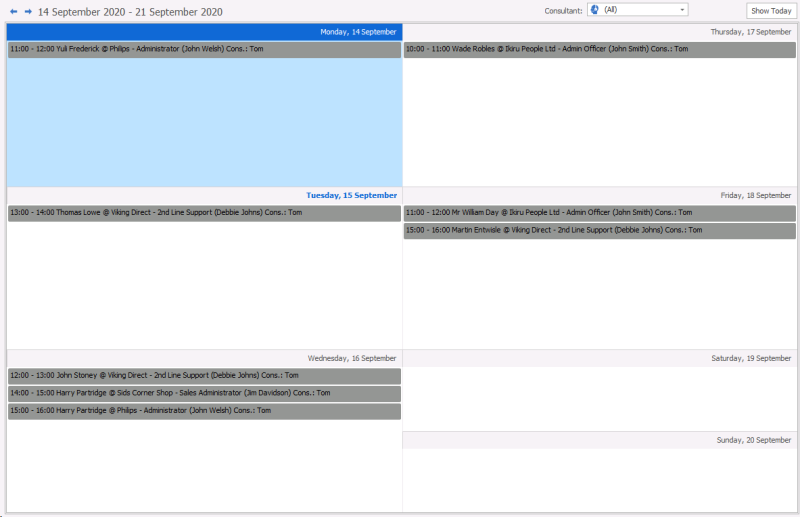
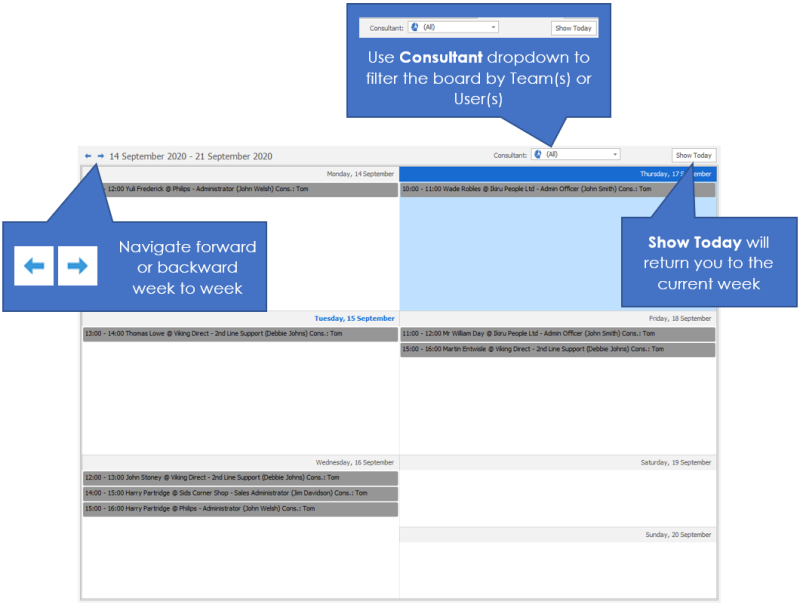
Move through the weeks by using the arrows pointing left and right.

Use the filter to adjust interviews by team or consultant, use Show Today button if you get yourself lost within the dates.
Internal interview board
This shows a defaulting weekly view of the internal interviews (registrations) that are due to happen. Double click on any entry to go to the interview record. You can leave the internal interview board open as a tab to review to throughout the day,
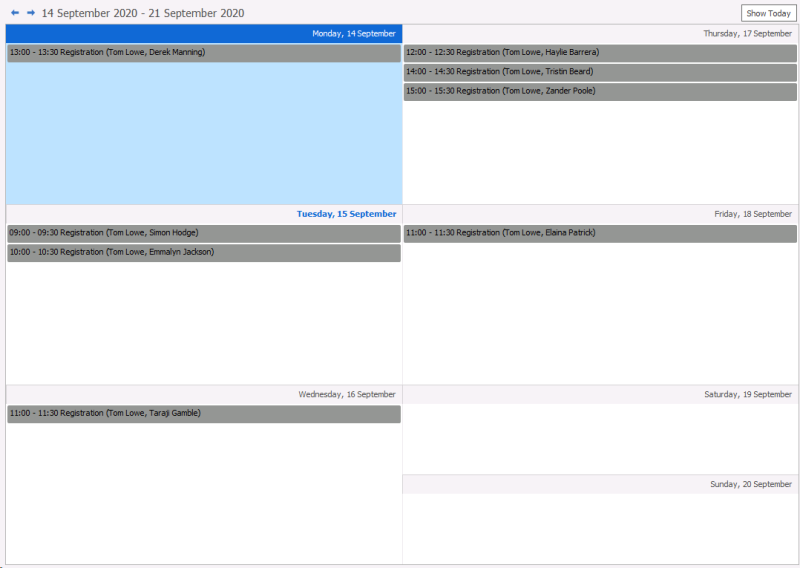
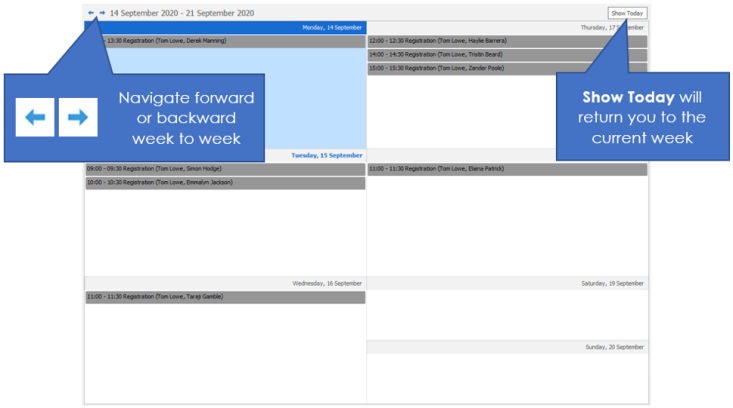
Move through the weeks by using the arrows pointing left and right.
Use the filter to adjust internal interviews by team or consultant, use Show Today button if you get yourself lost within the dates.
Placement board
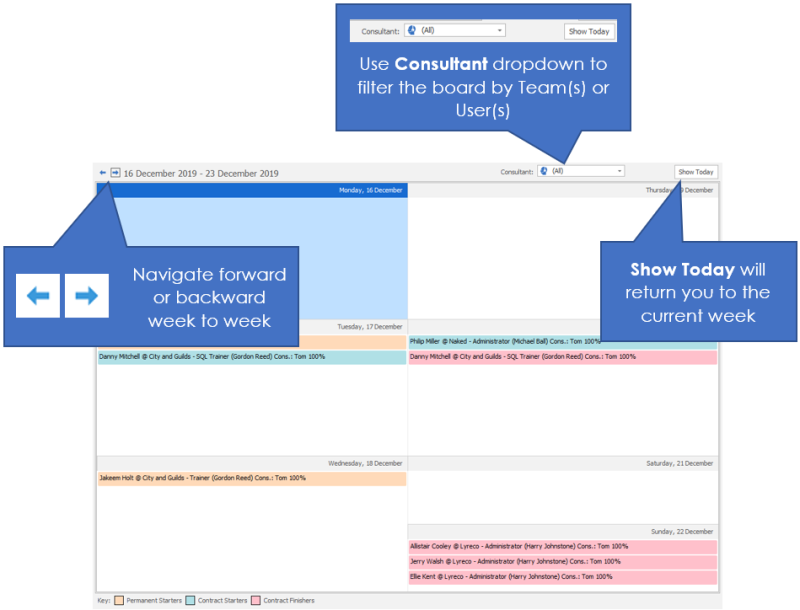
This shows a defaulting weekly view of the placements that are scheduled to have action. Double click on any entry to go to the placement record. You can leave the placement board open as a tab to review to throughout the day,
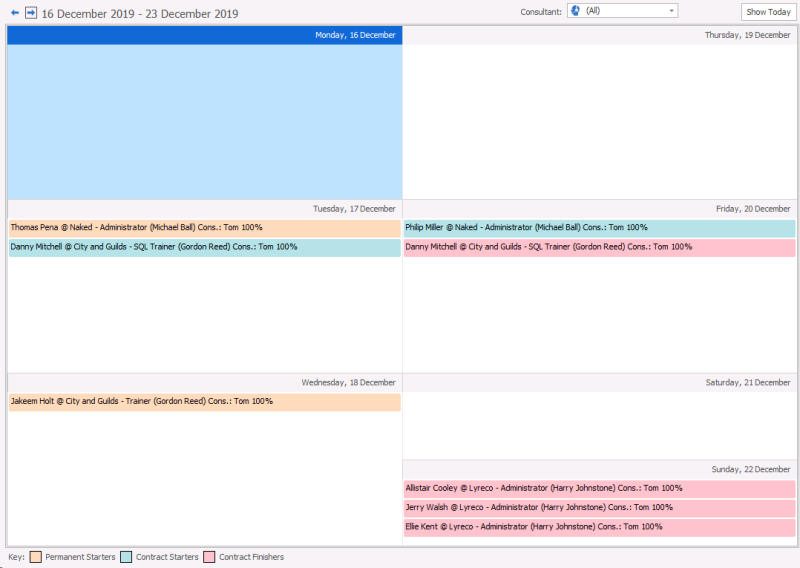
- Permanent starters are highlighted in Peach
- Contractors starters are highlighted in Blue
- Contractors finishers are highlighted in pink
Dashboard
You can view your dashboard from here, see Dashboard section for additional information.
Contact Details
If you require further assistance please contact Ikiru People using the details published on www.ikirupeople.com
Visit our Customer Portal at https://portal.ikirupeople.com/ for future events and clinics.
FeedbackIf you would like to make suggestions or have found any errors with this Help section please contact our Support team.
Copyright © 2026 Voyager by Ikiru People Ltd. All rights reservedVersion 4.87
Voyager Software is a brand of Ikiru People Ltd, a subsidiary of Dillistone Group Plc. The group is a leading global provider of software and services that enable recruitment agencies and in-house recruiters to better manage their selection process and address the training needs of individuals. Across its brands – which include Voyager Software (recruitment software UK & Australia), Dillistone FileFinder executive search software, GatedTalent, the global database of the world’s leading executives, Talentis.Global – the next generation of recruitment software and also ISV.Online, provider of online pre-employment skills testing and training tools. Dillistone Group serves thousands of clients worldwide. Ikiru People Ltd: Registration Number 02043300. Registered in England & Wales.
 |  |  |  |