Scheduled Reports

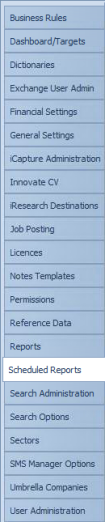
 Scheduled Reports Walkthrough available click here
General
Infinity’s Reports can be schedule to run automatically using Scheduled Reports this can be utilised to have reports running automatically and can be a good alternative to giving access to reports or just a quick way to have reports created without any need to set parameters manually. The report can be sent to user(s) My Infinity panel where they can Save, copy and open the file to view. Alternatively it can be set to automatically save the report to a file location (the file location needs to be available on the SQL server as well as the user).
 IMPORTANT – SaaS systems will utilise the scheduled reports facility to generate reports so you will see a list of ongoing Scheduled Reports and any ad-hoc reports awaiting to run
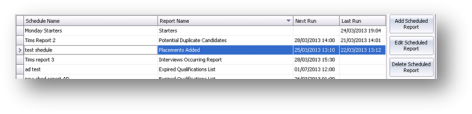
 Add a Scheduled Report
- Select
 and the New Scheduled Report options will be displayed
 - Complete the options as necessary
- Click
 to save the new Scheduled Report
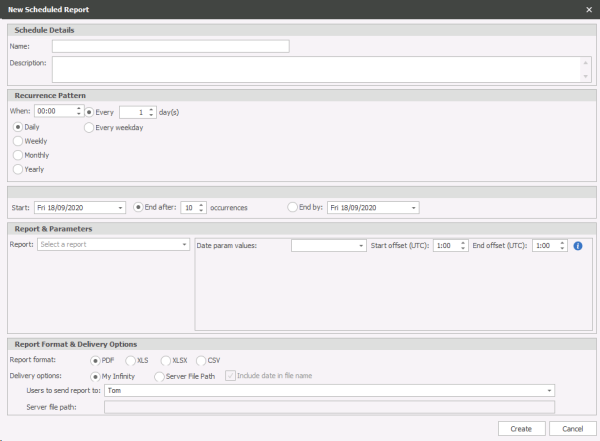
The table explains Scheduled Report settings:
|
Name |
Enter a name for the Scheduled Report |
|
Description |
Enter a description |
|
Recurrence Pattern |
Select the frequency of the schedule, i.e. daily or weekly |
|
Range of Recurrence |
Select the start and end of the schedule |
|
Report & Parameters: Report |
Select from the drop down list of Infinity Reports |
|
Date Parameter Values |
Set the date parameter for the selected Infinity Report |
|
Report Format |
Choose the format of the report; PDF, XLS, XLSX |
|
Delivery Options – My Infinity Users to send report to: |
Select the user who received notification that the scheduled report has been run. This is displayed in the selected users’ My Infinity – Scheduled Reports panel. |
|
Delivery Options – Server File path Server file path Not available for SaaS users |
Input the file path in which you wish the report to be added, the name of the report will include the date so any subsequent matching reports can be identified
|

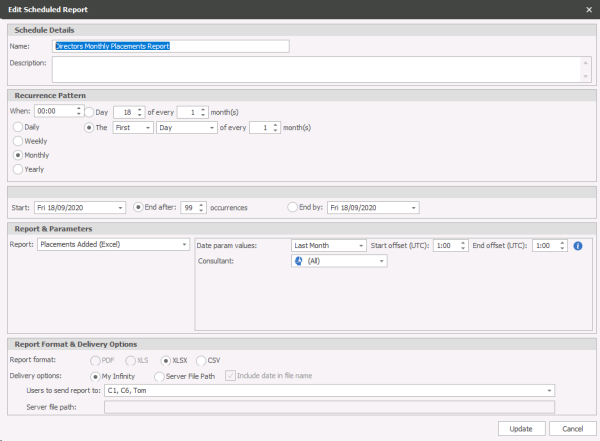
Editing a Scheduled Report
- Select the Scheduled Report you wish to edit
- Make the necessary Changes and click
 to save any changes
Delete a Scheduled Report
- Select the report you wish to delete
- Click
 and the report will be deleted

Contact Details
If you require further assistance please contact Ikiru People using the details published on www.ikirupeople.com
Visit our Customer Portal at https://portal.ikirupeople.com/ for future events and clinics.
FeedbackIf you would like to make suggestions or have found any errors with this Help section please contact our Support team.
Copyright © 2026 Voyager by Ikiru People Ltd. All rights reservedVersion 4.87
Voyager Software is a brand of Ikiru People Ltd, a subsidiary of Dillistone Group Plc. The group is a leading global provider of software and services that enable recruitment agencies and in-house recruiters to better manage their selection process and address the training needs of individuals. Across its brands – which include Voyager Software (recruitment software UK & Australia), Dillistone FileFinder executive search software, GatedTalent, the global database of the world’s leading executives, Talentis.Global – the next generation of recruitment software and also ISV.Online, provider of online pre-employment skills testing and training tools. Dillistone Group serves thousands of clients worldwide. Ikiru People Ltd: Registration Number 02043300. Registered in England & Wales.
 |  |  |  |