 Business Rules Administration Walkthrough
Placement Follow Up
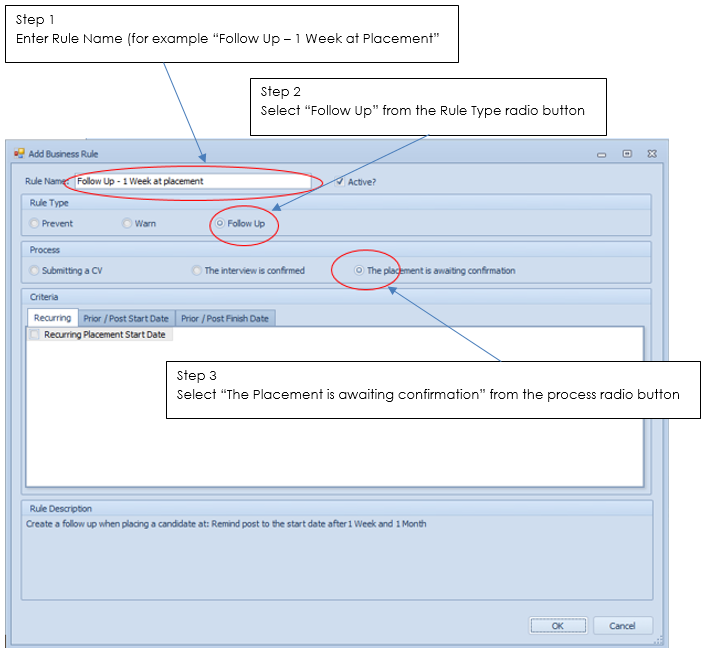
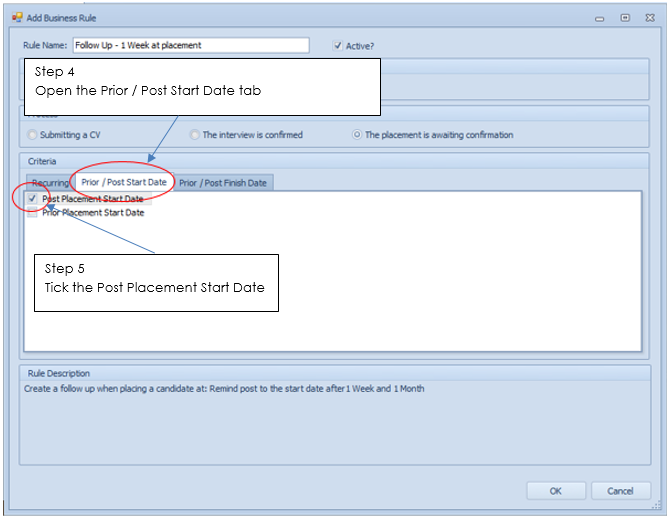
So I want there to be an automated Task created for 1 week after the candidate has been on site
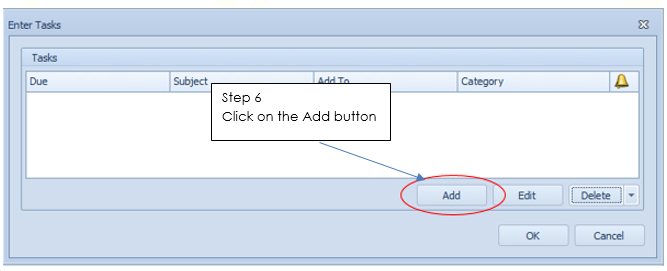
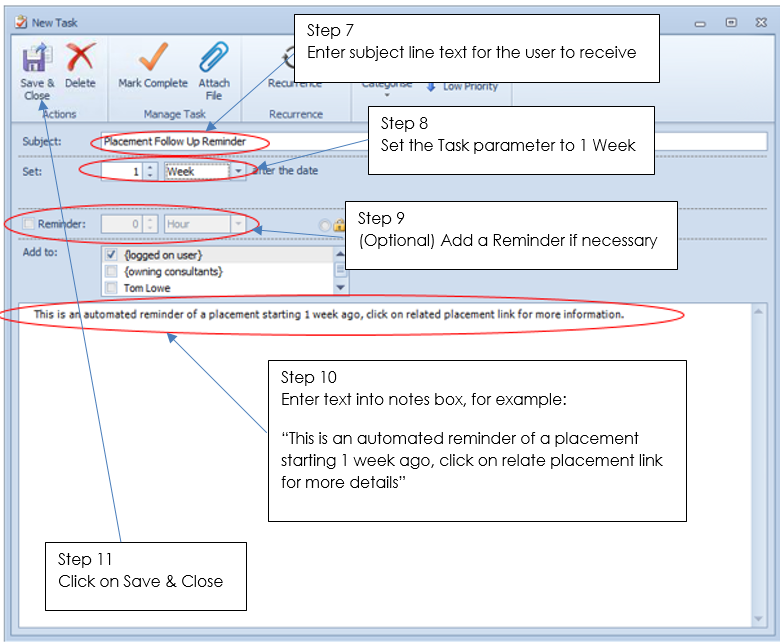
Click on OK in the task screen
Click on OK in the Business Rule screen and this rule will now be active in your Business Rules list


Interview Reminder
I also want a Task for the day before an interview to ensure I check the candidate is fully prepared and ready to put his best foot forward
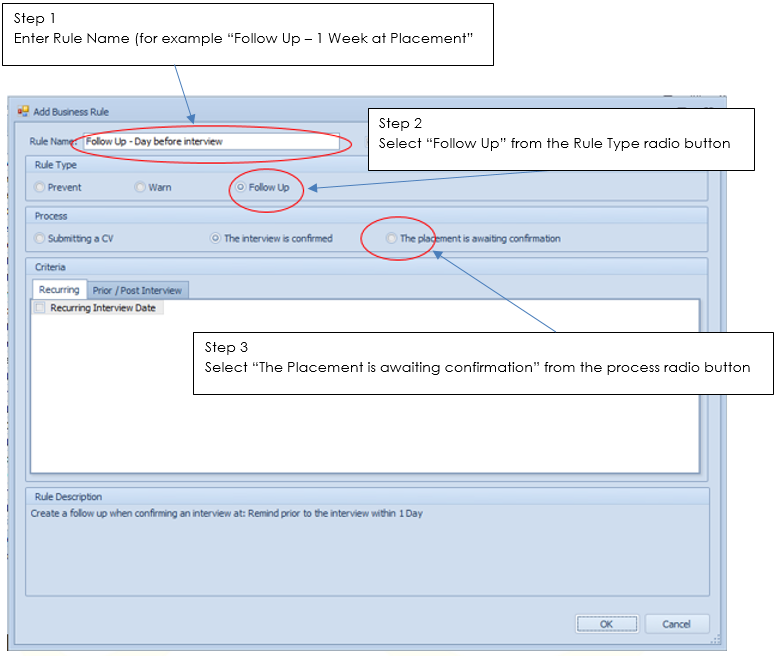

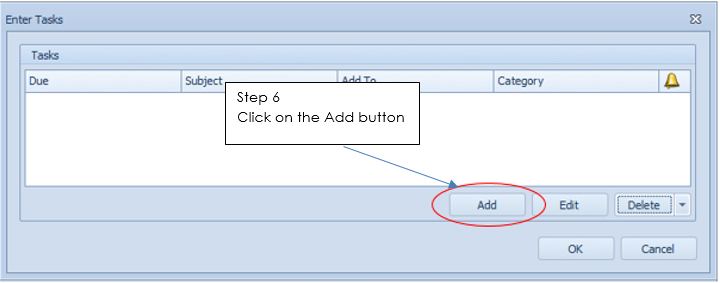
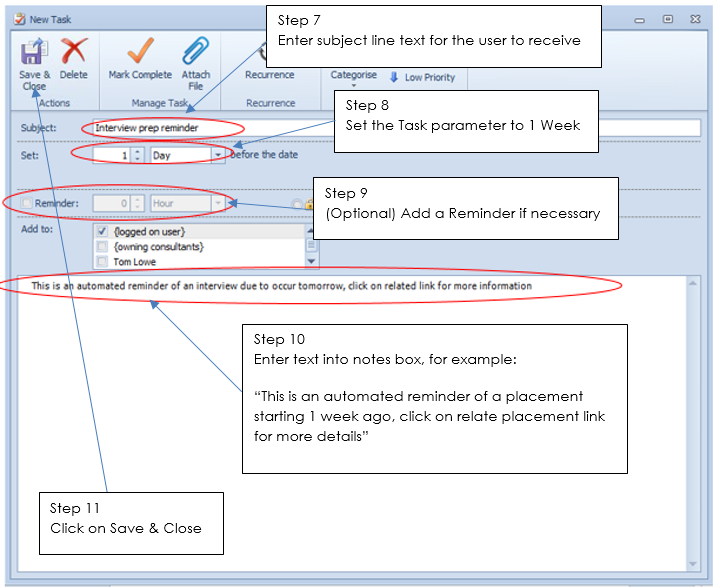
Click on OK in the task screen
Click on OK in the Business Rule screen and this rule will now be active in your Business Rules list
Prevent CV Submit to Own Company
I want to ensure none of my consultants try to CV submit a candidate already working at the Company I am submitting to or any of its subsidiaries
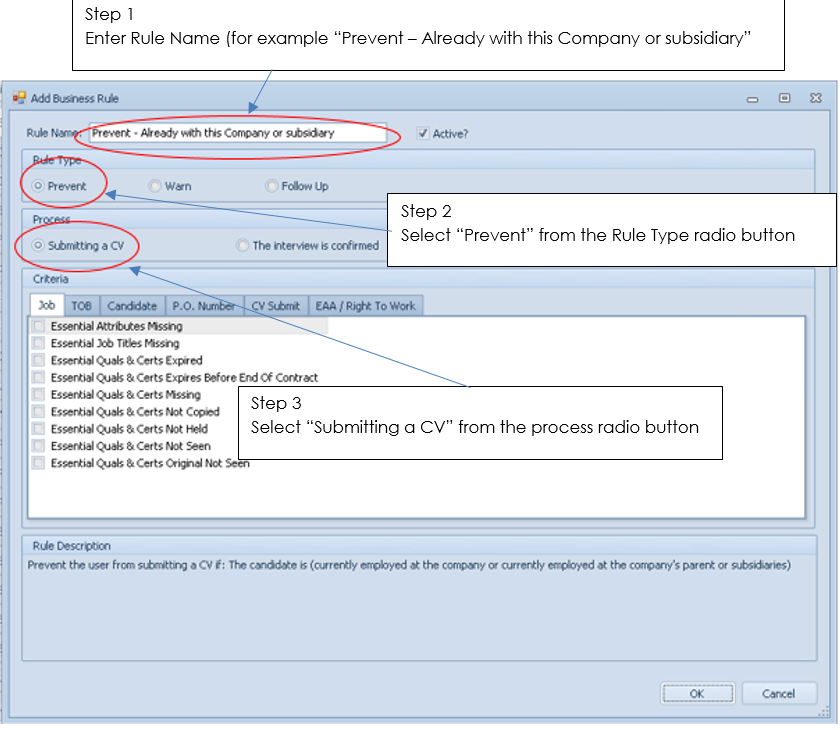
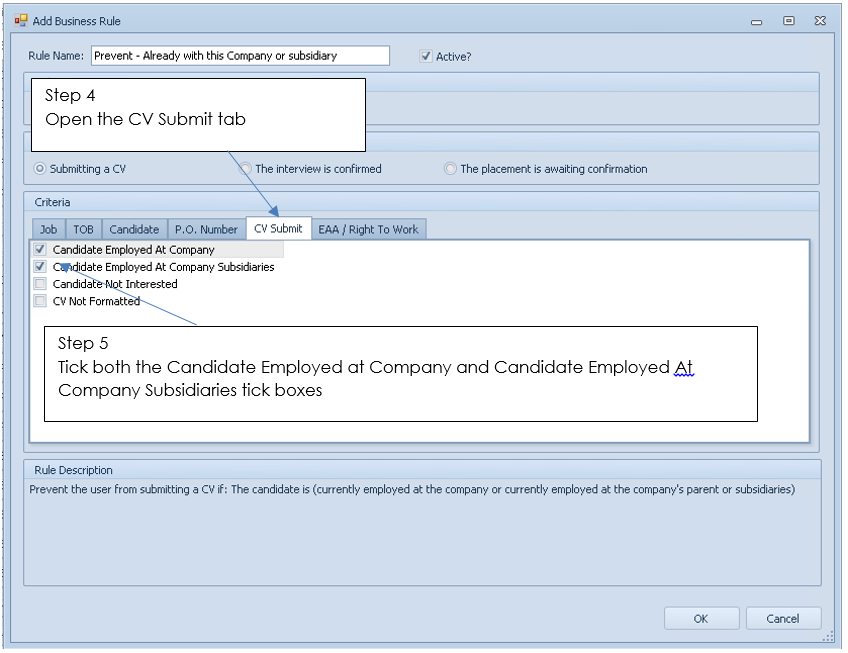
Click on OK in the Business Rule screen and this rule will now be active in your Business Rules list
Warn CV Submit – Unformatted CV
I want to avoid a consultant emailing a CV that is not formatted, this rule is already present in the default rules list so I can activate it
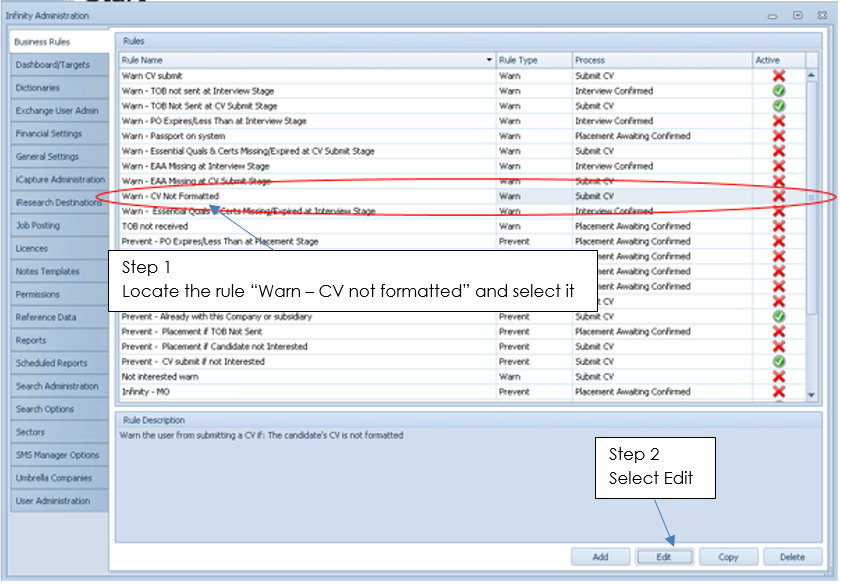
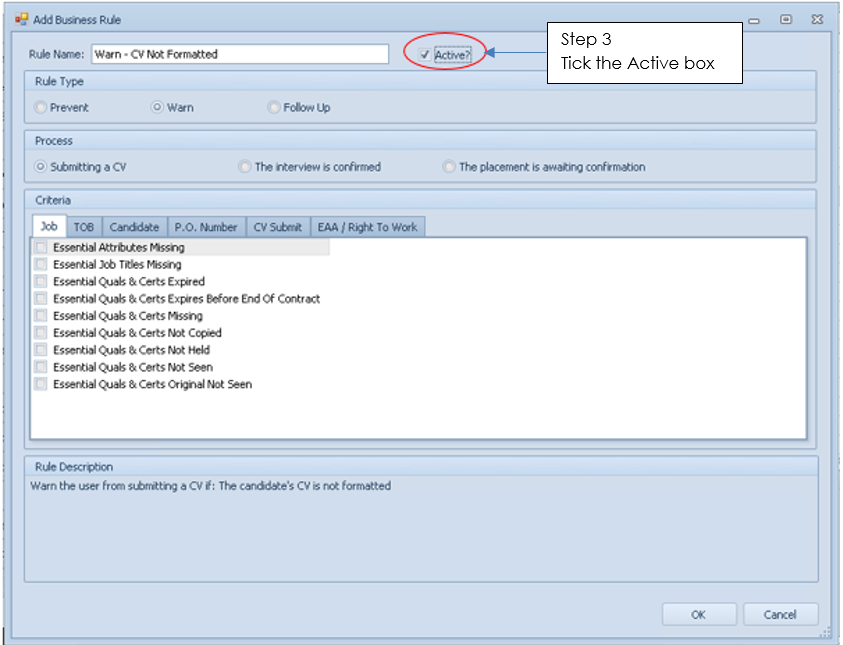
Click on OK in the Business Rule screen and this rule will now be active in your Business Rules list
Warn CV Submit to a Company without TOB Received
I want to ensure that we have TOB received from the Company prior to CV submit, this rule is already present in the default rules list so I can activate it
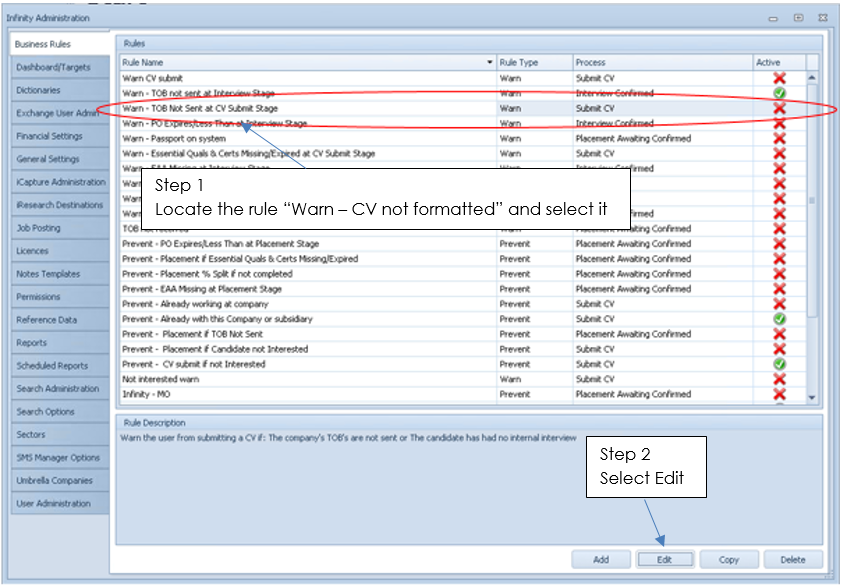
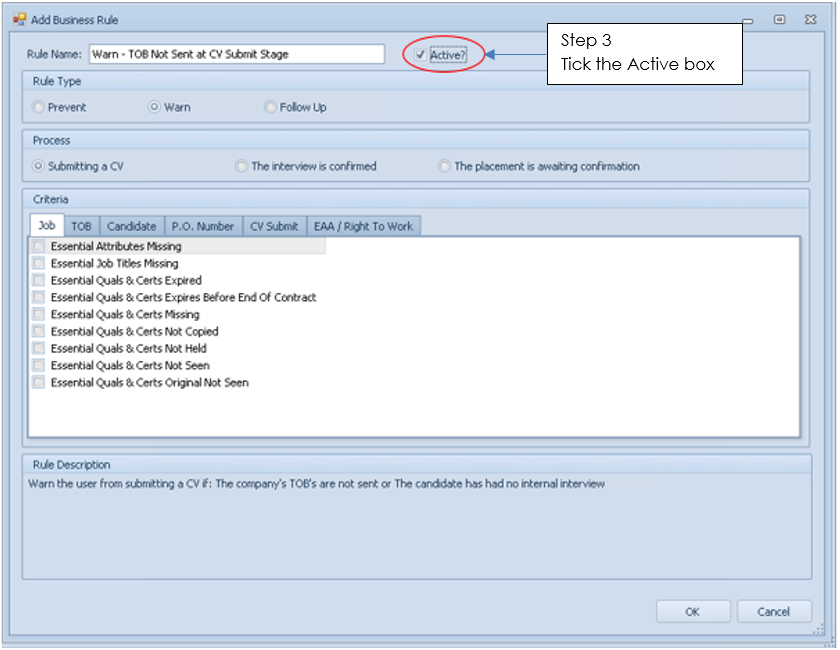
Click on OK in the Business Rule screen and this rule will now be active in your Business Rules list
Prevent Placement Confirmations if Details have not been completed
So I wish to ensure my users complete key details in placement records, these include:
- Candidate Details (Address, telephone number and / or email address)
- Placement Details (Fee, Pay / Charge Rate, Hours etc.)
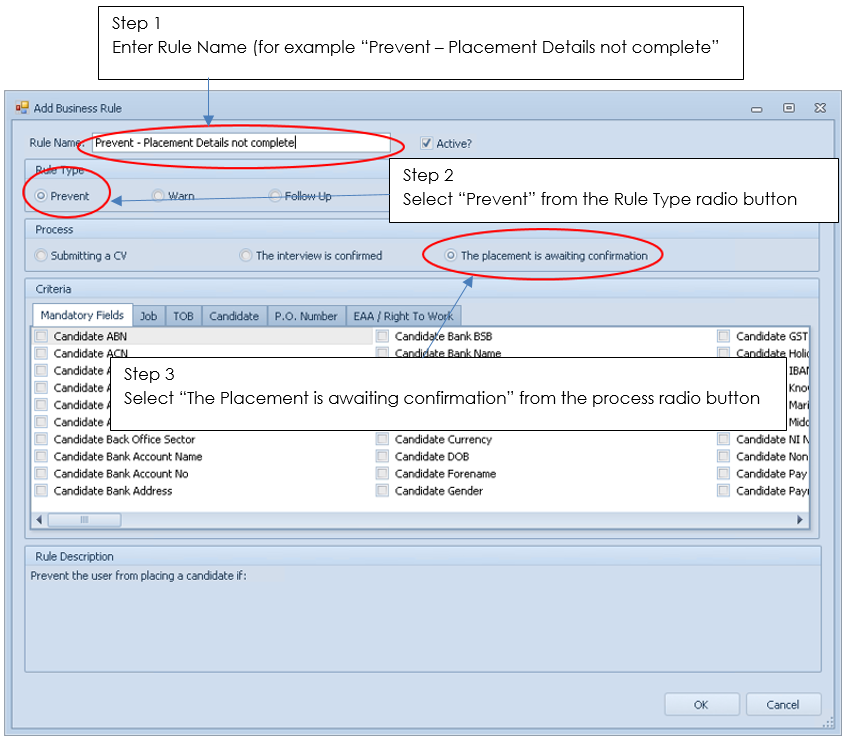

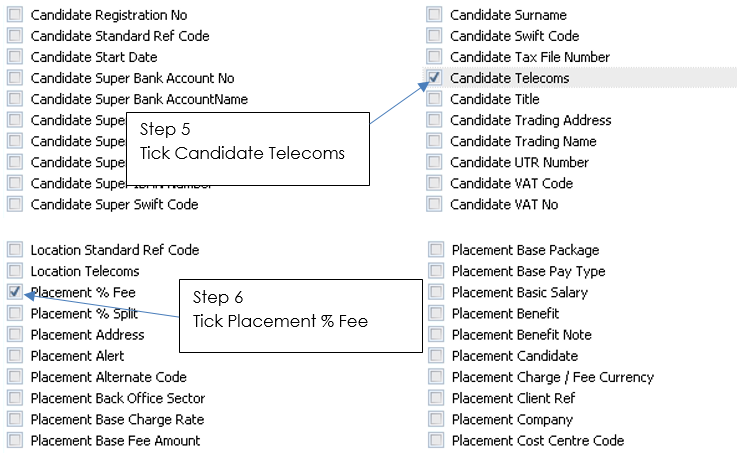
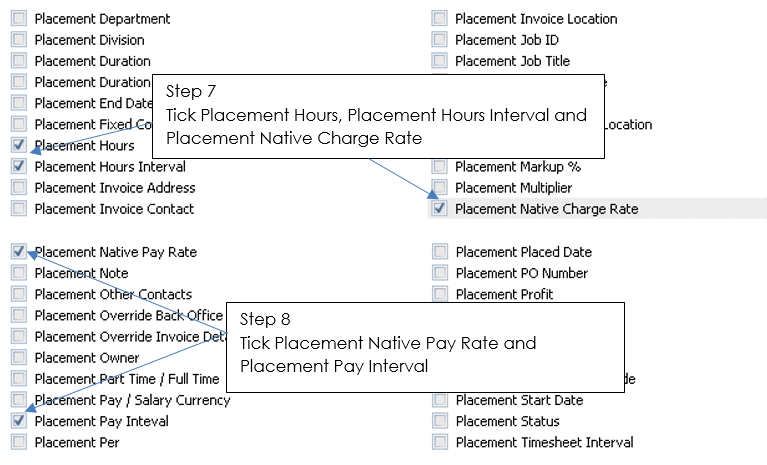
Click on OK in the Business Rule screen and this rule will now be active in your Business Rules list

 Contact Details
If you require further assistance please contact Ikiru People using the details published on www.ikirupeople.com
Visit our Customer Portal at https://portal.ikirupeople.com/ for future events and clinics.
FeedbackIf you would like to make suggestions or have found any errors with this Help section please contact our Support team.
Copyright © 2026 Voyager by Ikiru People Ltd. All rights reservedVersion 4.87
Voyager Software is a brand of Ikiru People Ltd, a subsidiary of Dillistone Group Plc. The group is a leading global provider of software and services that enable recruitment agencies and in-house recruiters to better manage their selection process and address the training needs of individuals. Across its brands – which include Voyager Software (recruitment software UK & Australia), Dillistone FileFinder executive search software, GatedTalent, the global database of the world’s leading executives, Talentis.Global – the next generation of recruitment software and also ISV.Online, provider of online pre-employment skills testing and training tools. Dillistone Group serves thousands of clients worldwide. Ikiru People Ltd: Registration Number 02043300. Registered in England & Wales.
 |  |  |  |